

Understanding Terminologies
- Net New Membership
Net new membership refers to the overall change in membership numbers during a selected period, calculated by subtracting cancellations from new enrollments. It shows whether the total membership base has grown or declined.
View Net New Membership Reports
-
The user can view net new membership reports by accessing the “Membership Reports” through Reports from two entry points.
-
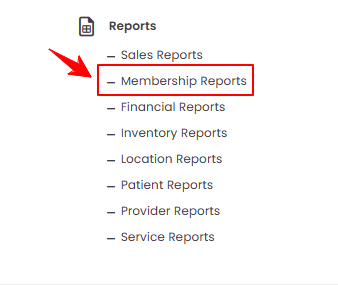
From the EMR Admin, click on “Membership Reports” under “Reports.”
-
From the Left Navigation, open the “EMR Admin” dropdown, select “Reports,” and then choose “Membership Reports” from the subsequent dropdown menu. Alternatively, you can type “Membership Reports” into the search bar in the Left Navigation.
-
-
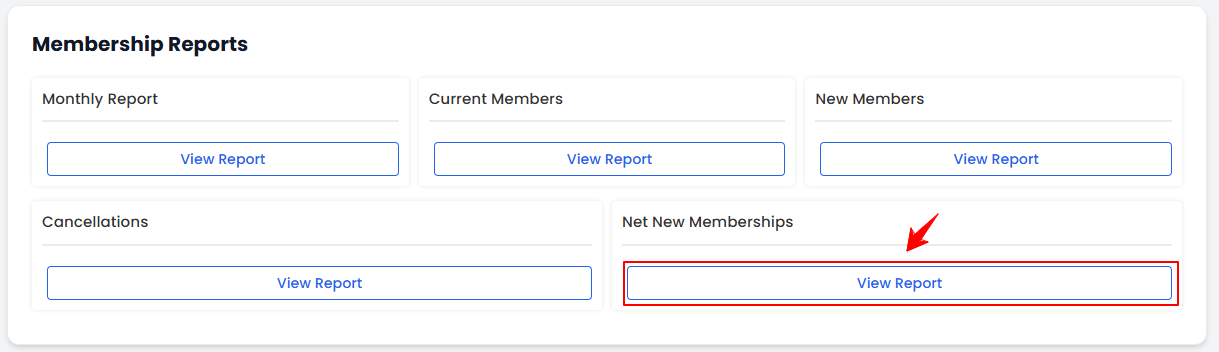
On the Membership Reports Screen, you will find sections for Monthly Report, Current Members, New Members, Cancellations, and Net New Memberships, providing a clear overview of membership activity. To access the detailed net new memberships report, simply click on “View Report” under the Net New Memberships section.
-
To view net new memberships report, select the Start Date, End Date, and Location from the dropdown menu, and then click “Apply Filters” to filter the data for the specific time period.

-
At the top of the screen, key metrics for the selected period are displayed, including New Members, Cancellations, Net New, New Revenue, Lost Revenue, and Net Revenue Impact.
 Note“New Members” are individuals who have joined or signed up for a membership during the selected period. “Cancellations” are memberships that have been ended or terminated during the selected period. “Net New” is the overall change in memberships during the period, calculated by subtracting cancellations from new members. “New Revenue” is the total income generated from new memberships during the selected period. “Lost Revenue” is the total income lost due to membership cancellations during the period. “Net Revenue Impact” is the overall effect on revenue during the period, calculated by subtracting lost revenue from new revenue.
 -
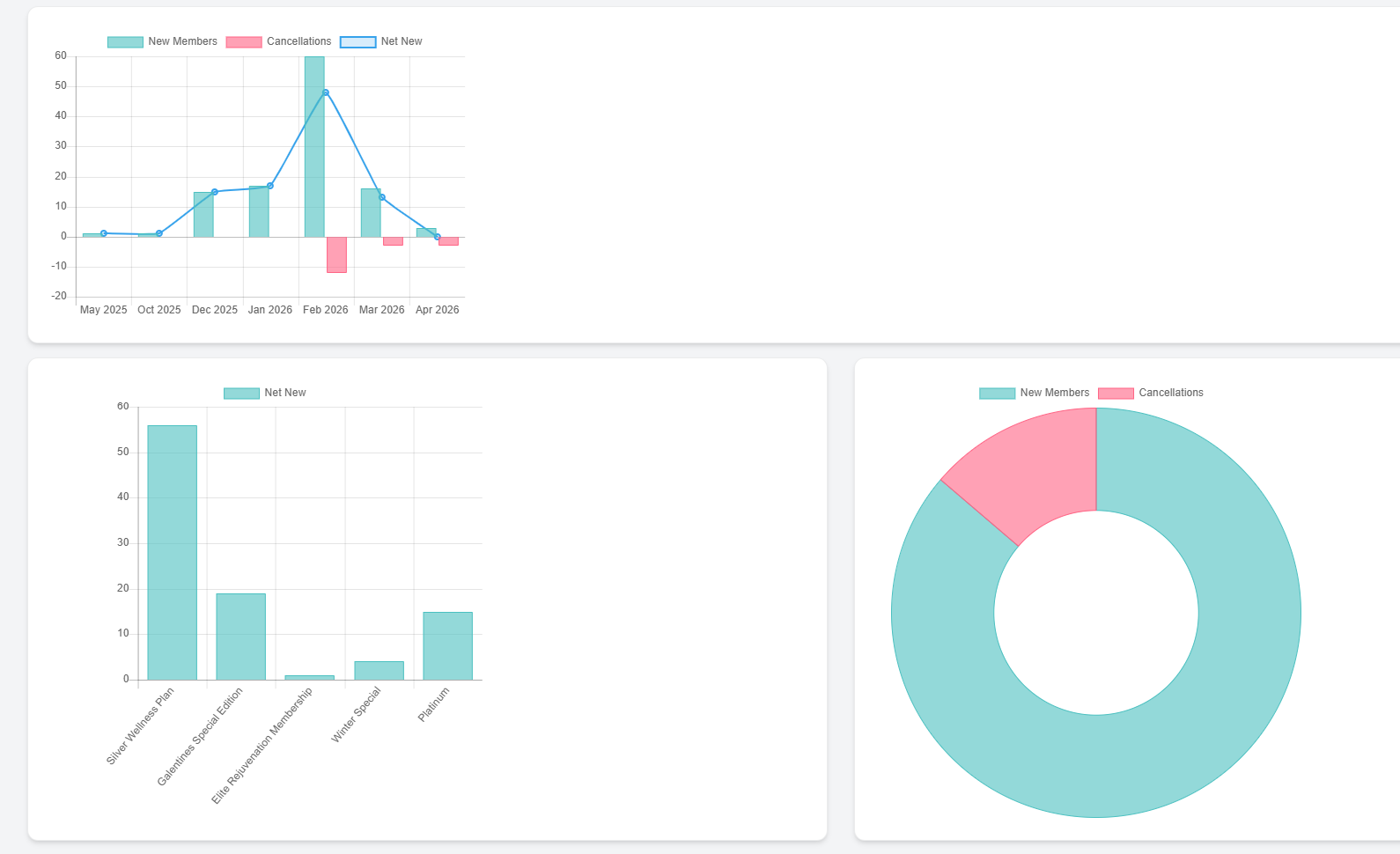
Review the graphs of Monthly Net New Memberships, the Net New Memberships by Membership Type, and the pie chart showing the proportion of New Members versus Cancellations.
-
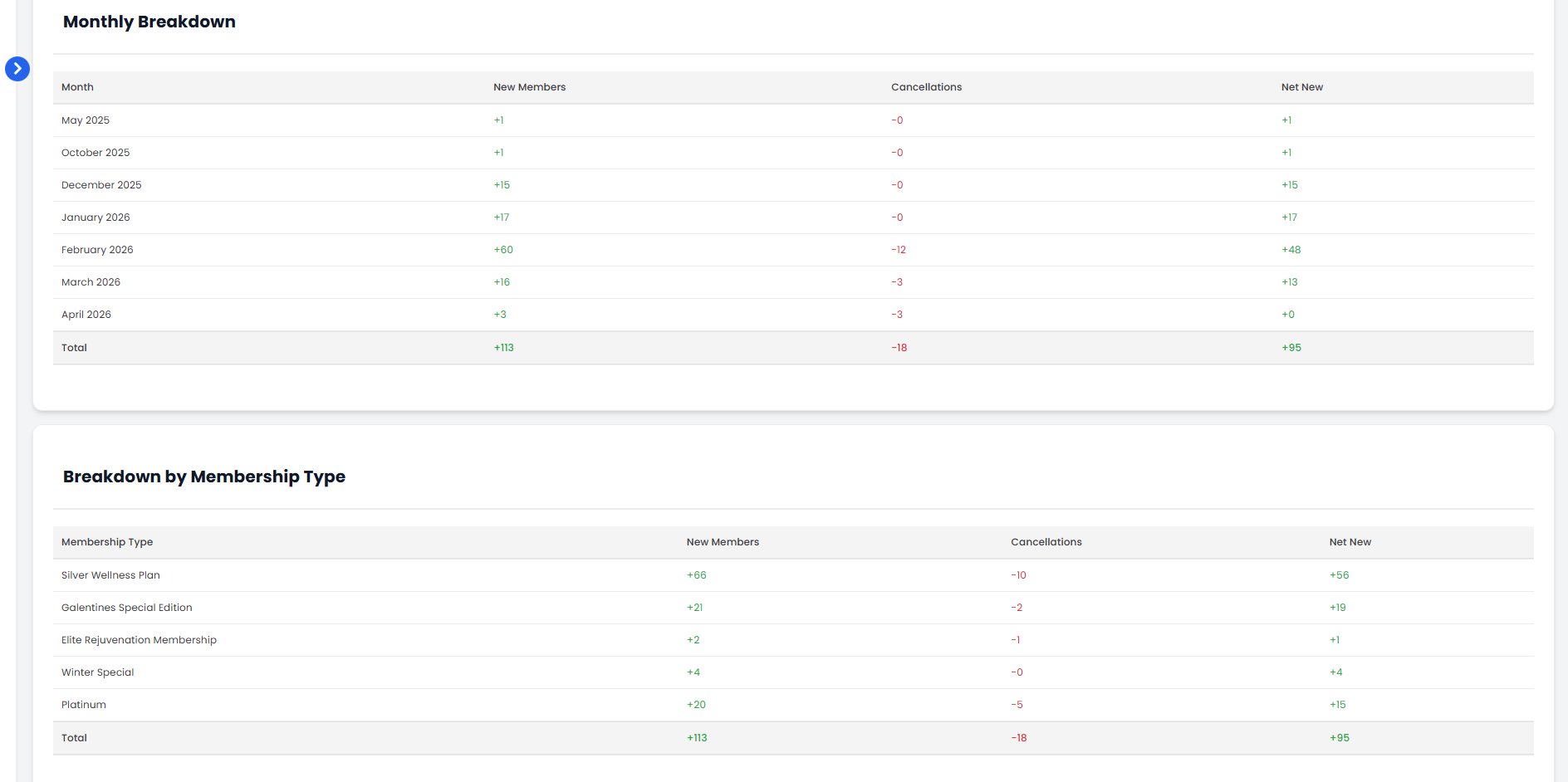
Below the graphs, there are two separate tables, one presents the Monthly Breakdown and the other shows the Breakdown by Membership Type, each detailing New Members, Cancellations, and Net New Memberships.
You’re all set
That’s every step of “View Net New Membership Reports”. Up next: How to Review Payment Methods in Financial Reports?.