

Understanding Terminologies
- Payment Methods
Payment methods are the different ways patients use to pay for products or services, such as cash, credit or debit cards, bank transfers, and digital wallets.
Review Payment Methods in Financial Reports
-
The user can review payment methods by accessing the “Financial Reports” through Reports from two entry points.
-
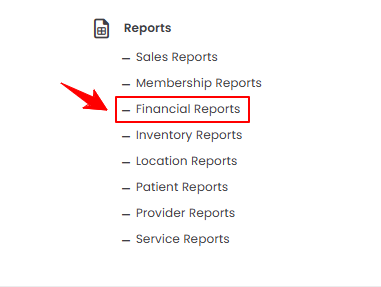
From the EMR Admin, click on “Financial Reports” under “Reports.”
-
From the Left Navigation, open the “EMR Admin” dropdown, select “Reports,” and then choose “Financial Reports” from the subsequent dropdown menu. Alternatively, you can type “Financial Reports” into the search bar in the Left Navigation.
-
-
The Payment Methods tab opens by default. To view reports of payment methods, set the Start and End Dates, select the Location, and then click “Apply” to filter the data for the specified period.

-
At the top of the screen, key metrics for the selected period are displayed, including Total Payments, Total Refunds, Net Revenue, and Top Payment Method.
 Note“Total payments” is the sum of all money received from patients for products or services during a specific period. “Total refunds” is the total amount of money returned to patients for returns, cancellations, or adjustments. “Net revenue” is the actual revenue earned after subtracting total refunds from total payments. “Top payment method” is the payment type most frequently used by customers or contributing the highest amount to total revenue.
 -
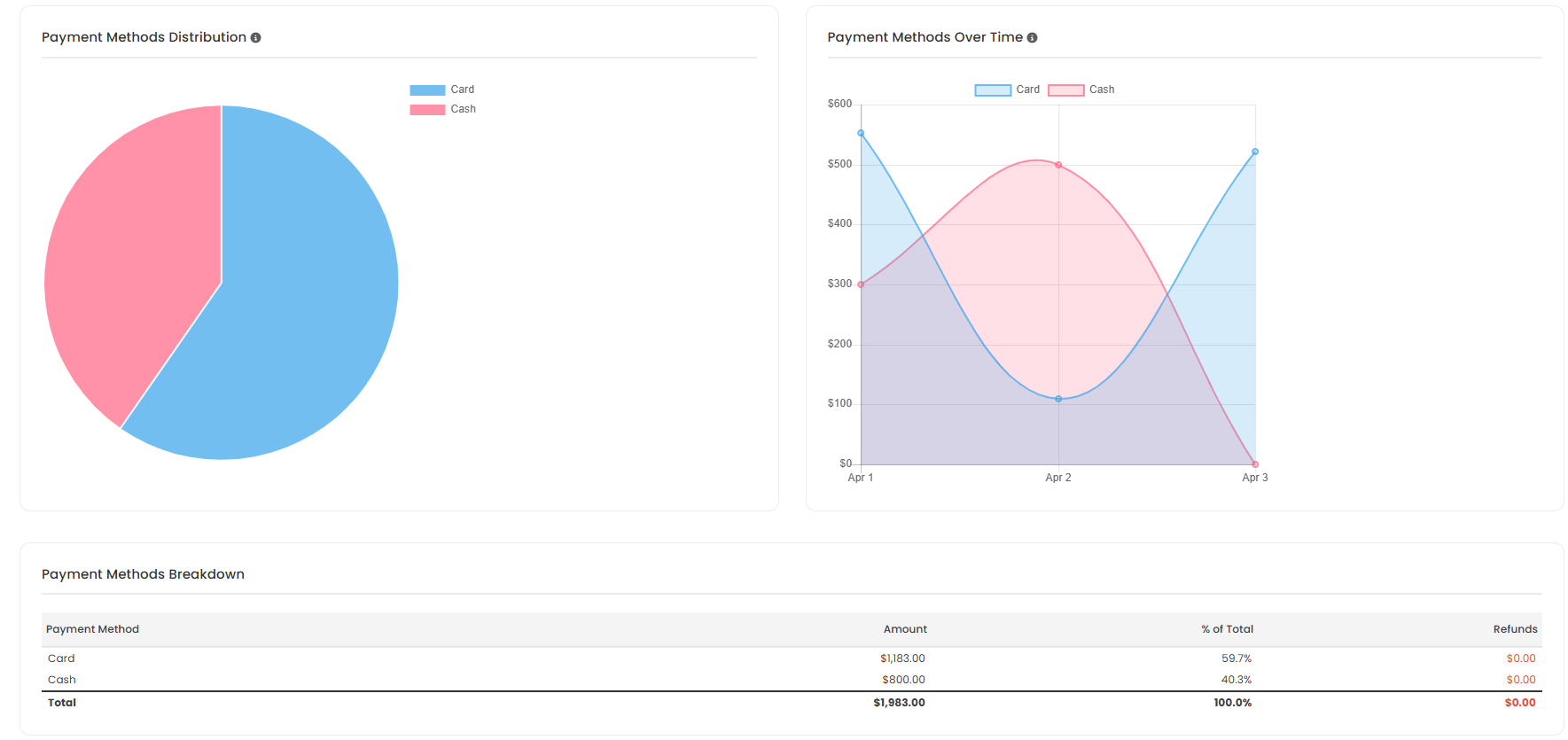
Review the Payment Distribution pie chart to see the share of each payment method, and the Payment Methods Over Time line graph to track trends. Below the graphs, the Payment Methods Breakdown provides detailed information, including the amount, percentage of total, and refunds for each method.
You’re all set
That’s every step of “How to Review Payment Methods in Financial Reports?”. Up next: How to Review Revenue Breakdown in Financial Reports?.