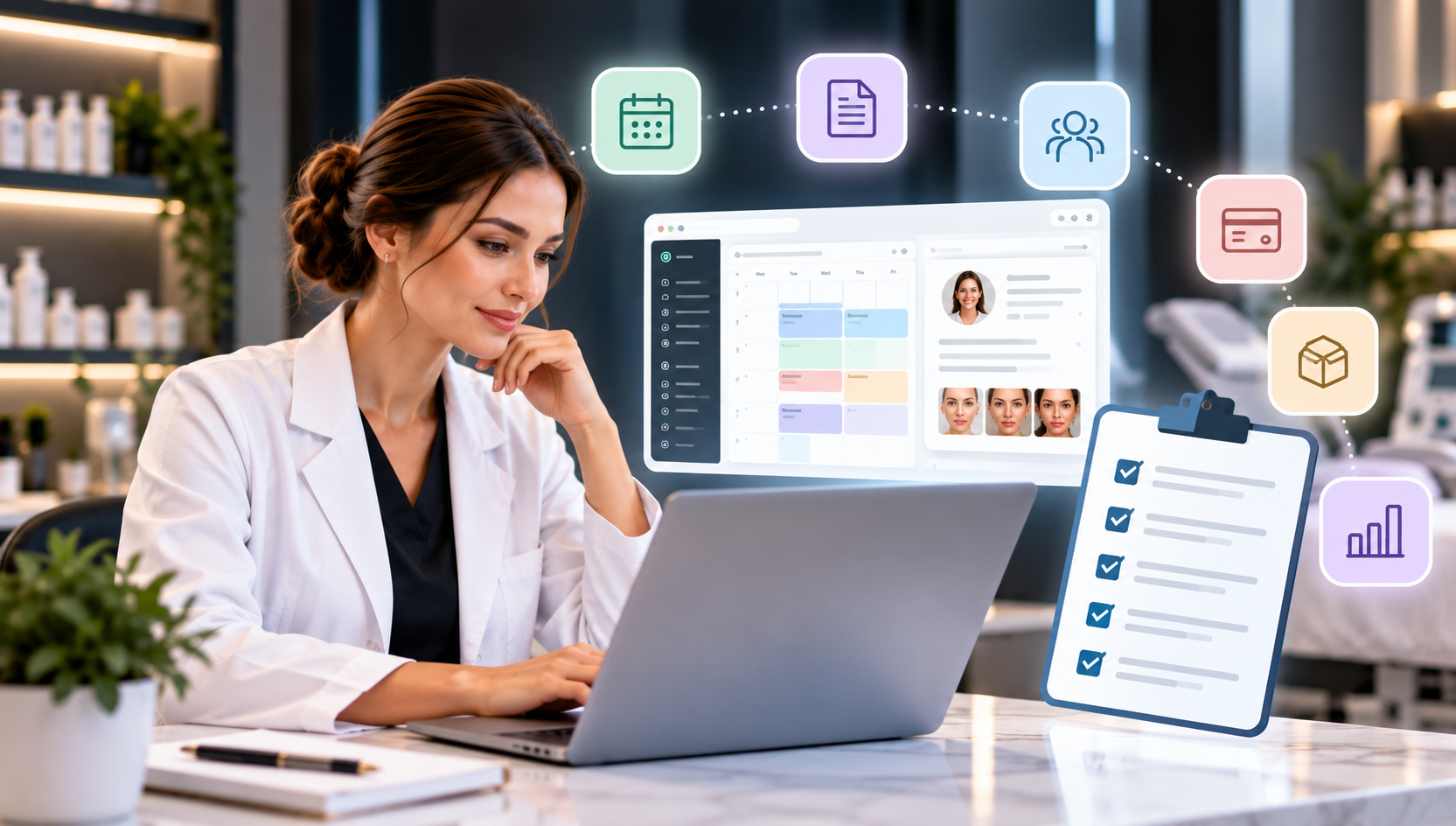
How to Choose the Best Software for Your Med Spa
Choosing software for a med spa is not simply about finding a system with the longest feature list.
The right platform needs to support how your practice actually operates—from the moment a patient books an appointment through intake, consultation, treatment, documentation, checkout, and follow-up.
For many practices, the challenge is that these activities are spread across multiple systems. Scheduling may happen in one application, patient records in another, communications in a third, and payments in another.
As your practice grows, that fragmentation can create additional work for both administrative and clinical teams.
So, how do you choose the best software for your med spa?
Start by evaluating the entire patient and practice workflow rather than individual features in isolation.
1. Start With Your Practice's Actual Needs
Before comparing software providers, document how your med spa operates today.
Consider the entire patient journey:
Discovery → Booking → Intake → Check-In → Consultation → Treatment → Documentation → Checkout → Follow-Up
Then identify the technology involved at each stage.
Ask questions such as:
- How are appointments currently scheduled?
- Where are patient records stored?
- How are intake forms and consents collected?
- How do providers document treatments?
- How are before-and-after photographs managed?
- How does the practice communicate with patients?
- How are payments processed?
- How are memberships managed?
- How is inventory tracked?
- What reporting does management need?
- Which tasks require duplicate data entry?
- How many different systems does staff use each day?
This exercise can help you distinguish between features that sound useful and capabilities your practice genuinely needs.
2. Look for Med Spa-Specific Clinical Capabilities
A general scheduling or salon-management platform may handle appointments well, but a medical aesthetic practice can have additional clinical requirements.
Depending on the services your practice provides, look for capabilities such as:
- Electronic medical records
- Medical history documentation
- Allergy and medication information
- Treatment notes
- Digital consent forms
- Patient questionnaires
- Treatment plans
- Before-and-after photography
- Procedure charting
- Product or treatment documentation
- E-prescribing, where applicable
- Telehealth capabilities, where applicable
Your requirements will vary according to your practice, providers, services, location, and applicable regulations.
The important question is whether the platform can support both the business side and clinical side of your practice.
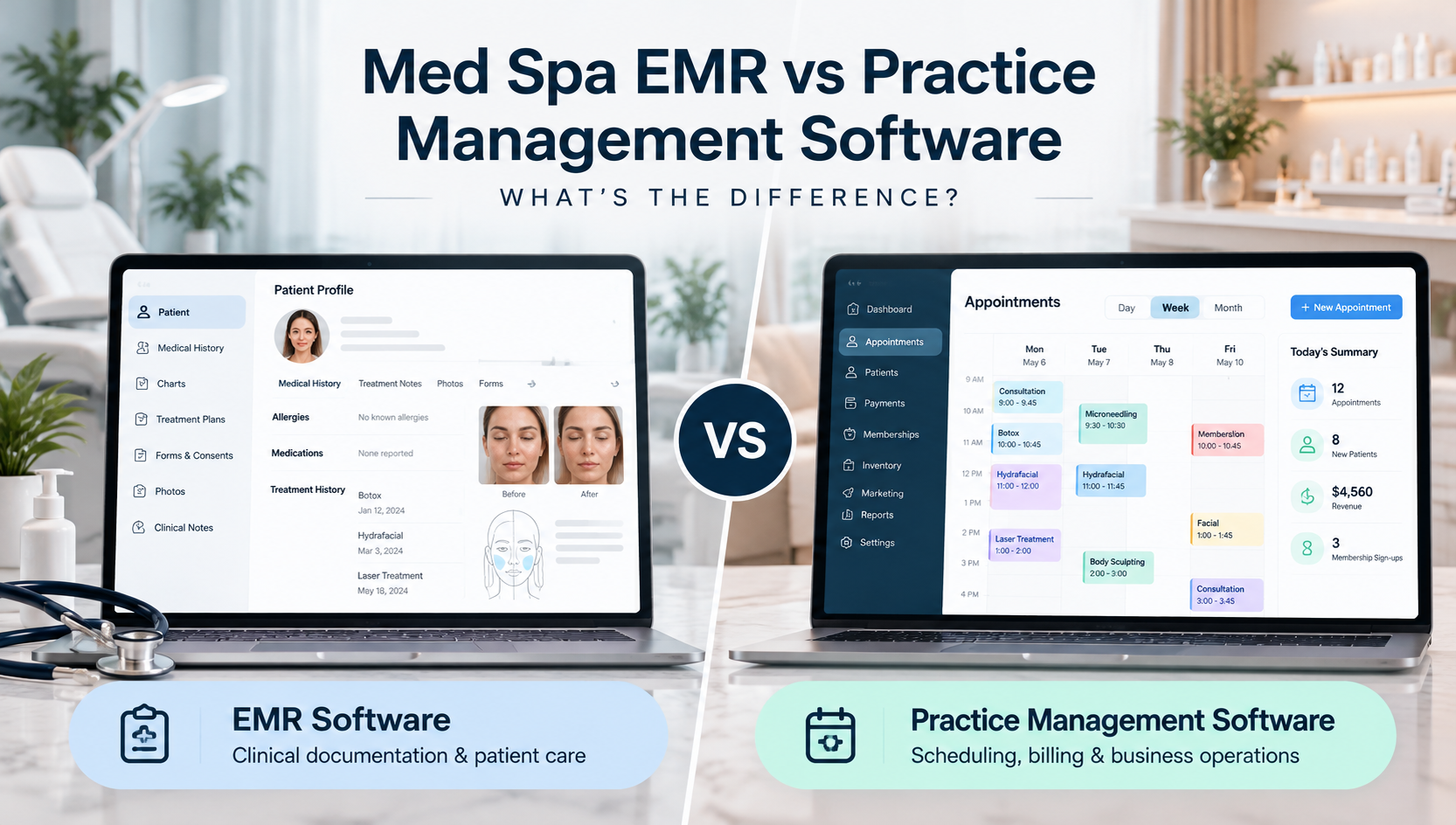
3. Evaluate the EMR Carefully
For practices that need an electronic medical record system, the EMR deserves particular attention.
A med spa EMR should make it practical for authorized team members to find relevant patient information and document visits within their workflow.
When evaluating an EMR, consider:
Patient Profiles
Can staff easily access relevant medical history, allergies, previous visits, notes, photographs, and treatment information?
Clinical Documentation
Can providers efficiently create and review treatment notes?
Treatment Plans
Can the practice create and manage plans that may span multiple sessions?
Forms and Consents
Can questionnaires and consent documentation be connected with the patient record?
Photography and Charting
Does the system support the visual documentation your practice requires?
Provider Workflow
How many steps does it take a provider to move from reviewing the patient record to documenting the visit?
A feature can exist on a checklist but still be difficult to use. Ask vendors to demonstrate the actual workflow rather than simply confirming that a feature is available.
4. Examine Scheduling and Online Booking
Scheduling affects both staff productivity and the patient experience.
Look beyond a basic calendar.
Consider whether the software can manage:
- Multiple providers
- Appointment types
- Treatment durations
- Provider availability
- New and existing patients
- Online booking
- Rescheduling
- Cancellations
- Appointment reminders
- Multiple locations
- Different scheduling rules
More importantly, determine what happens after the appointment is created.
Does it connect with the patient's profile and subsequent workflow, or does staff need to transfer information into another system?
The more connected the scheduling process is, the easier it can be to maintain continuity throughout the visit.
5. Consider Patient Communication
Modern med spas may communicate with patients through several channels.
These can include:
- Phone
- SMS
- Appointment reminders
- Website inquiries
- Online booking
- Follow-up communication
- Patient forms
Using separate systems for every channel can make it harder for staff to understand the complete history of a patient interaction.
When comparing platforms, ask:
Can relevant communication stay connected with the patient workflow?
For example, if a prospective patient calls about a treatment and then books an appointment, can staff easily connect that inquiry with the resulting appointment and patient record?
Connected communication can be more useful than simply having another standalone messaging tool.
6. Review Billing, Payments and Checkout
Your software should also support what happens after treatment.
Depending on your business model, evaluate capabilities such as:
- Payment processing
- Multiple payment methods
- Discounts and promotions
- Membership benefits
- Product sales
- Patient balances
- Receipts
- Transaction history
- Revenue reporting
If your practice offers memberships or packages, examine those workflows closely.
Ask the vendor to demonstrate a realistic scenario:
Patient completes treatment → staff opens the current sale → applicable membership or promotion is applied → patient pays → transaction is recorded.
Watching the complete process can reveal much more than reading a feature list.
7. Don't Overlook Inventory Management
Inventory can become increasingly complex as a med spa grows.
Your practice may need to manage retail products, treatment supplies, and other inventory.
Consider whether the platform provides visibility into:
- Current quantities
- Product usage
- Product sales
- Stock levels
- Reordering needs
- Inventory activity
If certain products require additional documentation or traceability within your practice, determine whether the software can support that workflow.
8. Determine How Well the Features Connect
This is one of the most important considerations when choosing med spa software.
A platform can advertise dozens of features while still requiring staff to move information manually between them.
Instead of asking only:
"Does your software have online booking?"
Ask:
"What happens after someone books?"
Instead of:
"Do you offer patient communication?"
Ask:
"How does communication connect with the patient's appointment and record?"
Instead of:
"Do you have payment processing?"
Ask:
"Can you show me the workflow from treatment documentation through checkout?"
You are evaluating a workflow, not a checklist.
Ideally, the patient journey should look more like:
Booking → Intake → Patient Profile → Consultation → Treatment → Documentation → Billing → Checkout → Follow-Up
rather than a series of disconnected applications.
9. Understand the Difference Between All-in-One and Integrated Software
You'll frequently encounter two approaches.
All-in-One Platform
A single platform provides several core functions within one ecosystem.
Potential advantages include:
- Fewer separate systems
- More connected workflows
- Less duplicate data entry
- More centralized reporting
- A more consistent staff experience
Multiple Specialized Systems
A practice selects individual applications for different functions and connects them where possible.
Potential advantages include:
- Greater choice for individual functions
- Ability to select specialized tools
- Flexibility around an existing technology stack
Neither model is automatically right for every practice.
If considering multiple systems, examine the quality of the integrations carefully. Determine which information moves between platforms, how quickly it moves, and what still requires manual work.
10. Evaluate Security and Compliance Capabilities
Med spas can handle sensitive patient and business information, making security an important part of software selection.
Depending on your practice's requirements, questions may include:
- How is patient information protected?
- What user-access controls are available?
- Can permissions be assigned according to staff roles?
- Are important activities logged?
- How is information transmitted and stored?
- What happens when an employee leaves?
- What backup and recovery processes are available?
- What security documentation can the vendor provide?
If your organization is subject to HIPAA or other healthcare privacy requirements, evaluate the vendor's capabilities in the context of your own compliance responsibilities.
A vendor saying its platform is "secure" should not be the end of your evaluation.
11. Consider AI and Automation
AI is becoming increasingly relevant to med spa operations.
Depending on the platform, AI-assisted tools may help with:
- Answering common inquiries
- Appointment-related conversations
- SMS interactions
- Capturing new inquiries
- Patient intake
- Documentation assistance
- Administrative workflows
But don't select software simply because the website says "AI."
Ask what the AI actually does.
For example:
What information can it access?
What actions can it take?
Can it interact with the scheduling system?
When does it escalate to staff?
Does clinical output require provider review?
How is patient information handled?
AI becomes considerably more useful when it works within the practice's existing workflow rather than functioning as another isolated tool.
12. Think About Future Growth
Software that works for a single-provider practice today may not necessarily support the practice you intend to operate three years from now.
Consider future requirements such as:
- Additional providers
- Additional staff
- New services
- Increased patient volume
- Additional locations
- Centralized reporting
- Role-based access
- More advanced communication
- AI and automation
- Expanded inventory
Ask vendors specifically how their platform handles multi-provider and multi-location operations.
Switching practice-management systems can require substantial effort, so scalability deserves consideration before you make a decision.
13. Ask About Implementation and Data Migration
Buying software is only the beginning.
Ask prospective vendors what happens after you sign up.
Your evaluation should cover:
Implementation
How is the platform configured for your practice?
Data Migration
Can existing patient or business information be transferred?
Training
How will staff learn the system?
Support
How do users receive assistance after launch?
Timeline
What does the implementation process typically involve?
Ongoing Updates
How are new capabilities introduced?
A powerful platform provides limited value if your staff cannot implement or use it effectively.
14. Request a Workflow-Based Demo
Don't spend the entire software demonstration watching a salesperson navigate menus.
Give the vendor realistic scenarios.
For example:
"Show me how a brand-new patient books an appointment, completes intake, checks in, receives treatment, is documented by the provider, pays, and receives follow-up communication."
Then ask to see another:
"A patient calls asking about a treatment. Show me how the front desk handles the inquiry and books the appointment."
And another:
"Show me what a provider sees before entering the treatment room."
This approach reveals how the software actually supports your team.
Questions to Ask During a Med Spa Software Demo
Use this checklist when comparing platforms:
| Area | Question to Ask |
|---|---|
| Scheduling | Can you show the complete booking and rescheduling workflow? |
| EMR | How does a provider review and document a patient visit? |
| Forms | How do completed forms connect with the patient record? |
| Photos | How are before-and-after images organized? |
| Communication | Can calls and SMS connect with patient workflows? |
| Payments | Show the complete treatment-to-checkout process. |
| Memberships | How are member benefits applied during checkout? |
| Inventory | How is inventory usage tracked? |
| AI | What can the AI actually do within the platform? |
| Security | What access controls and security capabilities are available? |
| Locations | How does the system manage multiple locations? |
| Migration | What data can be migrated from our current software? |
| Training | What onboarding and training are provided? |
| Support | What support is available after implementation? |
Red Flags to Watch For
Be cautious if a vendor:
- Cannot demonstrate important workflows live
- Requires extensive manual work between core features
- Gives unclear answers about data ownership or migration
- Provides vague answers about security
- Calls basic automation "AI" without explaining what it does
- Cannot explain how multiple locations are managed
- Avoids discussing implementation
- Makes broad claims without demonstrating the underlying functionality
The objective isn't to find software that promises everything. It's to understand exactly what you're purchasing and how it will work in your practice.
How DigiMEDSPA Approaches Med Spa Practice Management
DigiMEDSPA is designed around a connected approach to med spa operations.
The platform brings together capabilities across areas such as:
- EMR & Patient Management
Patient profiles, medical information, clinical documentation, treatment plans, photographs, and related workflows. - Scheduling & Online Booking
Manage appointments, provider availability, and booking workflows. - Communication
Connect phone and SMS capabilities with broader practice workflows. - Billing & Payments
Support the transition from treatment through billing and checkout. - Memberships & Inventory
Manage membership and product workflows within the practice ecosystem. - AI Solutions
DigiMEDSPA's AI capabilities include AI Front Desk, AI SMS Agent, and AI Scribe & Charting Assistant.
Rather than evaluating these as isolated features, practices can look at how they work together across the patient journey.
Choosing the Right Software Comes Down to Workflow
There is no single feature that determines the best software for every med spa.
A small aesthetic practice, a growing wellness clinic, and a multi-location organization can have very different requirements.
The better question is:
How well does this platform support the way our practice needs to operate?
Map your workflows, identify your requirements, compare platforms using realistic scenarios, evaluate security and scalability, and involve the people who will actually use the software.
Most importantly, look beyond the feature checklist.
The right med spa software should help connect the different stages of your operation so your technology supports your team instead of creating more work for it.
Frequently Asked Questions
What software does a med spa need?
Requirements vary, but med spas may need software for scheduling, patient records and clinical documentation, digital forms and consents, communication, payments, memberships, inventory, reporting, and other practice workflows.
What is the difference between med spa software and salon software?
Med spa software may include clinical capabilities such as electronic medical records, treatment documentation, medical histories, consent management, and other workflows relevant to medical aesthetic practices. Salon software is generally focused more heavily on scheduling, client management, POS, and business operations.
Should a med spa use all-in-one software?
It depends on the practice. An all-in-one platform can reduce fragmentation by bringing multiple workflows together, while a multi-system approach may provide greater flexibility in choosing specialized applications. Practices should evaluate integrations and the amount of manual work required under either approach.
Should med spa software include an EMR?
If a practice needs electronic clinical records, it should evaluate whether its software includes suitable EMR capabilities or integrates appropriately with an EMR that meets the practice's requirements.
Can med spa software support multiple locations?
Some platforms provide multi-location capabilities. Practices planning to expand should evaluate provider management, permissions, scheduling, reporting, patient records, inventory, and other workflows across locations.
What should I ask during a med spa software demo?
Ask the vendor to demonstrate your actual workflows—from new-patient booking and intake through documentation, treatment, checkout, and follow-up. Also ask about implementation, migration, training, support, security, integrations, and scalability.
Ready to Evaluate Your Med Spa Technology?
If you're comparing platforms, see how DigiMEDSPA connects key clinical, administrative, communication, and practice-management workflows within one ecosystem.