Manage SMS Campaign Event
This user guide provides concise steps to create and edit SMS campaign events for effective Med SPA promotions.
Understanding Terminologies
SMS Campaign Event
An SMS campaign event refers to a specific promotional activity or occasion organized by the Med SPA, to engage patients through targeted SMS communications. These events can include launches of new procedures, seasonal promotions, patient appreciation days, or educational webinars, designed to inform recipients, encourage participation, and drive bookings or sales.
Add SMS Campaign Event
- The user can create an SMS campaign event by accessing the “SMS Marketing” in the Digital Marketing Panel through two entry points.
- Click “Apps” in the Top Menu Navigation to access the applications.


- Navigate to the Digital Marketing Panel and click on “SMS Marketing.”
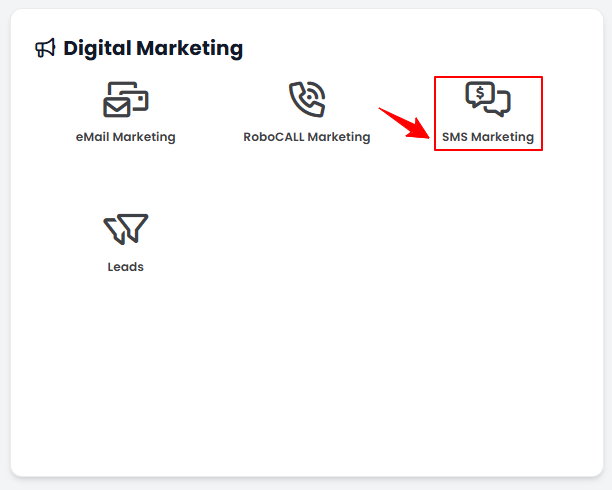
- Navigate to the Digital Marketing Panel and click on “SMS Marketing.”
- From the Left Navigation, click on the “Digital Marketing” dropdown menu, and select “SMS Marketing.’’ Alternatively, you can type “SMS Marketing” into the search bar in the Left Navigation.
Note: The user can also create an event in the Step 2 of creating a new SMS campaign. For more information on creating an SMS campaign, refer to our ‘’Create and Manage SMS Campaigns’’ user guide.
- Click “Apps” in the Top Menu Navigation to access the applications.
- On the SMS Campaigns List Screen, click on ‘’Events’’ tab.
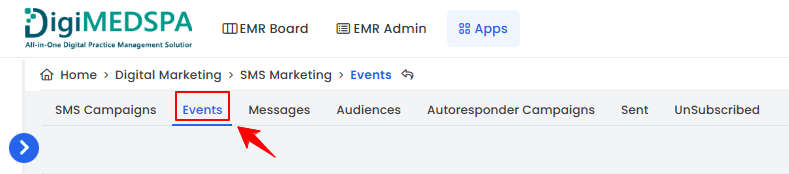
- To create a new campaign event, click on the ‘’New Event’’ button in the top right corner of the screen.
- Enter the Name for the event and click on ‘’Create Event.’’
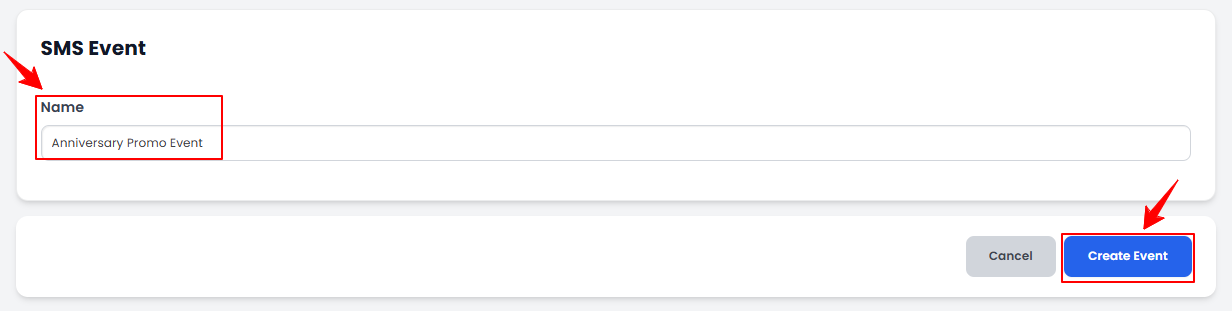
The SMS campaign event has been successfully created!
Edit SMS Campaign Event
- From the campaign events list, click on the three dots under the action column and select "Edit" for the specific event.
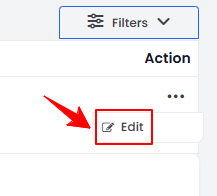
- Make the desired changes in the campaign event. Once done, click “Update Event.”
The SMS campaign event has been successfully edited!