Login
Login DigiMEDSPA EMR
 DigiMEDSPA CONNECT ™
How can a Patient Recover their Login Credentials
This user guide provides step-by-step instructions on how a patient can recover their login credentials in the DigiMEDSPA Portal. It explains the password recovery process, including how patients can reset a forgotten password and regain access to their account securely.
Understanding Terminologies
Login Credentials
Login credentials are the unique combination of an email and password that a user enters to access their account on a system or platform securely.
Resetting a Forgotten Password
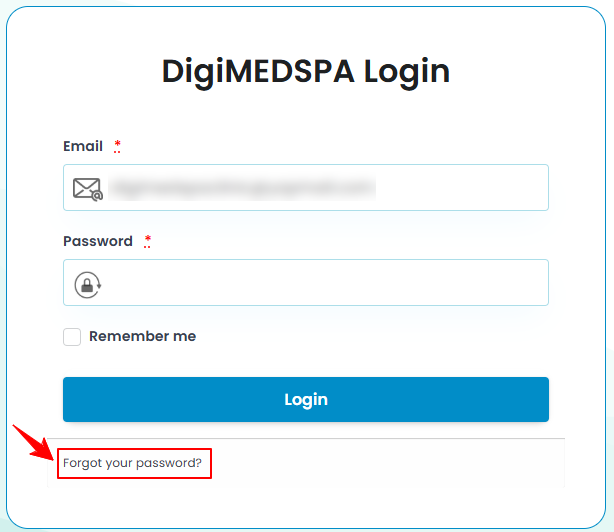
- A patient can recover their login credentials through the DigiMEDSPA Portal login screen.
- Enter your email address and click the "Forgot your password?" button located below the login button.

- Enter the email address again, then click the “Reset My Password” button.
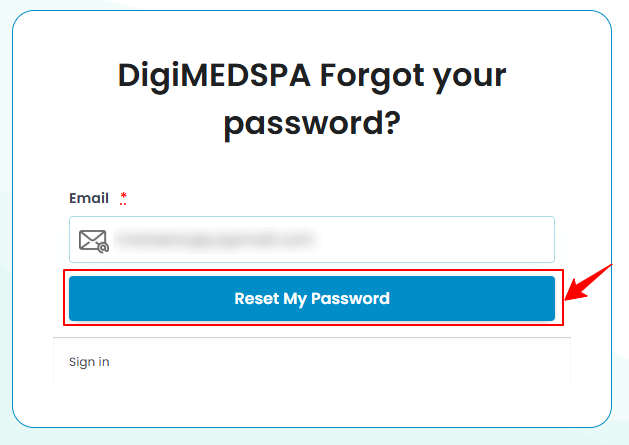
- A pop-up message will appear on the screen, informing the patient that they will receive an email with instructions on how to reset their password within a few minutes.Note: The email will be sent to the email address entered by the patient. It may take a few minutes to arrive, so refresh the inbox periodically until it is received.
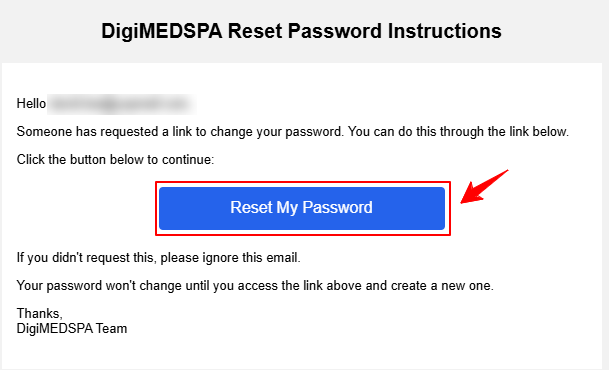
- Follow the instructions in the email and click the provided link to reset the password.
- The patient will be redirected to the DigiMEDSPA Portal login screen. Enter the new “Password,” then re-enter the same password in the “Password Confirmation” field. Once done, click the "Change My Password" button to save new credentials and regain access to the account.
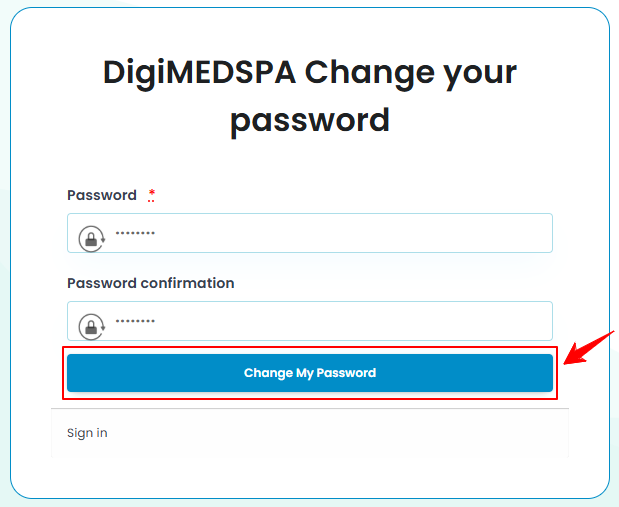
- The patient will successfully log in to their account, and the new password has been securely updated.Note: Advise the patient to select the "Remember Me" option the next time they log in. This will save their credentials, reducing the risk of forgetting them and enabling automatic login on this device in the future.