

Understanding Terminologies
- Website General Information
Website general information refers to foundational details that establish the identity and branding of a website, including elements like the business name, logo, tagline, color scheme, font styles, and service area. This information sets the tone and appearance of the website, ensuring consistency with the Med SPA’s brand and making the site appealing and easy to navigate for patients.
- About Us
About Us is a website page that provides an overview of a business, including its mission, values, history, and team. The “About Us” page typically highlights the Med SPA’s commitment to quality care, the expertise of its staff, the services offered, and its dedication to patient satisfaction. This section builds trust and connection with potential patients by offering insight into the Med SPA’s purpose, values, and unique qualities.
Edit Website’s General Information
-
You can edit your website’s general information through the “Website Content” in the Website Panel accessible from two entry points:
-
Click “Apps” in the Top Menu Navigation to access the applications.

-
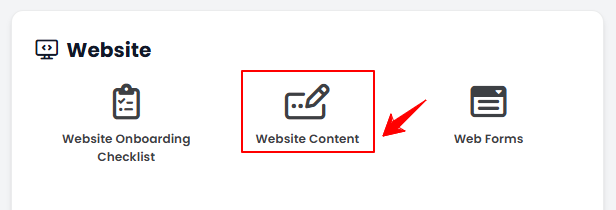
From the Website Panel, click on “Website Content.”
-
-
From the Left Navigation, open the “Website” dropdown menu, and select “Website Content.” Alternatively, you can type “Website Content” into the search bar in the Left Navigation.NoteClicking on “Website Content” will take you directly to “General Information,” the first step in editing the full website content.
-
-
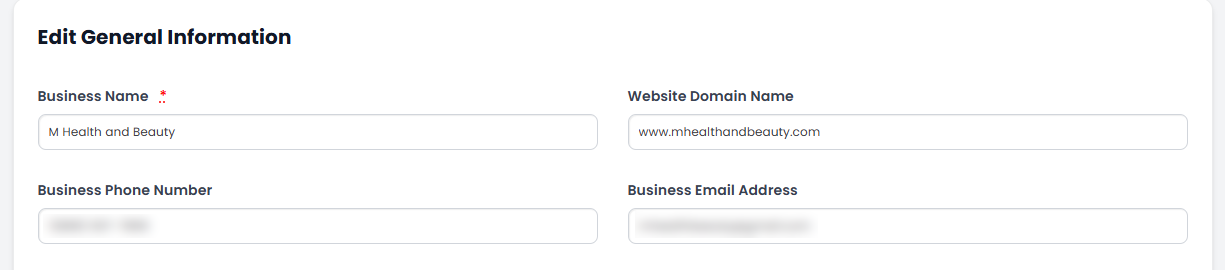
Enter the Business Name, Website Domain Name, Business Phone Number and Business Email Address for your website.
-
Enter the Business Marketing Address, Business Hours, Social Sites & Links.
-
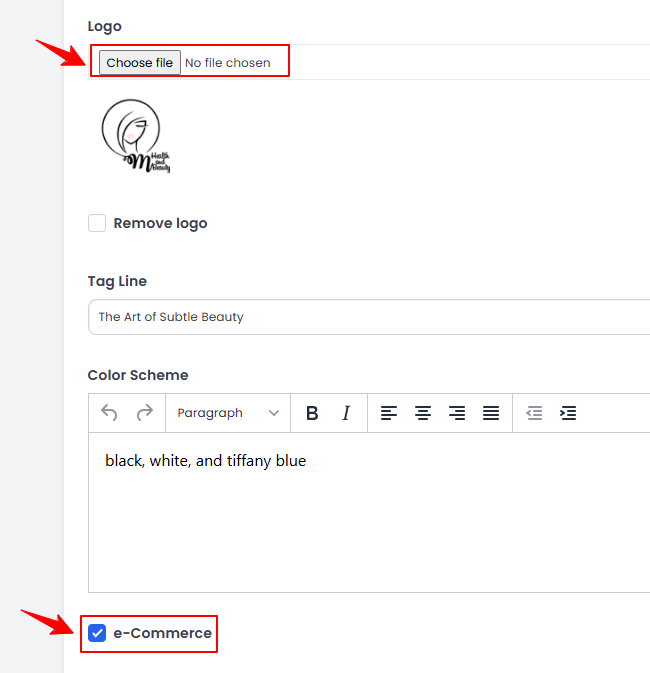
Click “Choose File” to upload your logo from your computer, and then enter a Tagline for your business. Select the Color Scheme for your website by typing in the desired colors. Select “e-Commerce” if your website will include ecommerce features.
-
If you have one or more reference sites to guide the design or content of your website, enter their URLs in the “Referral Websites” field.
-
Enter the Service Coverage Area where you want your website to be visible and accessible. Then, specify your Target Customer Demographics (e.g., gender, age, etc.) and enter any Third-Party Integrations.
-
Once all required information is completed, click “Update General Website Information” to save.
The general information for your website has been updated!
Edit About Us Page
-
From the menu bar, select the “About Us” tab.

-
Enter your About Us content in the text box. Use the menu bar to adjust the Font, Style, Headings, and Size to match how you want the text to appear on your website. When you're done, click “Update” to save your changes and continue.The About Us page content for your website has been added successfully!
You’re all set
That’s every step of “Edit Your Website’s General Information and About Us Page Content”. Up next: Update Website Page Titles and Homepage Blocks.