How to Streamline Med Spa Operations From Booking to Checkout
Running a med spa requires coordination between front-desk staff, providers, administrators, and patients.
A single appointment may involve scheduling, intake forms, patient information, clinical documentation, treatment, payment, and follow-up. When these activities are handled through disconnected processes, small inefficiencies can accumulate throughout the day.
Improving med spa operations isn't simply about completing individual tasks faster. It is about creating a smoother workflow from the patient's first interaction through the completion of the visit.
1. Map the Complete Patient Workflow
Before changing your processes, understand what happens today.
A typical workflow may look like:
Appointment → Intake → Check-In → Provider Review → Treatment → Documentation → Checkout → Follow-Up
Review each stage and ask:
- Who is responsible?
- What information is required?
- Which system is used?
- Is information entered more than once?
- Where does staff commonly wait or encounter delays?
- Where does the patient have to repeat information?
These questions can reveal operational bottlenecks that may otherwise go unnoticed.
2. Simplify Appointment Scheduling
Scheduling affects nearly every part of the practice.
Your process should make it easy for staff to understand provider availability, appointment types, treatment duration, and patient information.
Online booking can also provide patients with another way to initiate the scheduling process.
However, scheduling shouldn't operate as an isolated activity.
Ideally, once an appointment exists, the information should remain connected as the patient moves into intake, check-in, treatment, and checkout.
3. Digitize Patient Intake
Paper forms and manual data entry can add administrative work before an appointment even begins.
Digital questionnaires and consent workflows can help organize information before or during check-in.
Depending on the practice, these may include:
- Medical history
- Allergies
- Medications
- Treatment questionnaires
- Consent forms
- Practice policies
When appropriate information flows into the patient's record, staff don't have to recreate the same information later.
4. Make Check-In More Efficient
Check-in should prepare both the patient and provider for the visit.
Staff should be able to quickly determine whether required information has been completed and whether anything needs attention.
The provider should then be able to access relevant information without searching through multiple systems.
A connected workflow reduces unnecessary handoffs between the front desk and clinical team.
5. Organize Clinical Documentation
Providers need a practical way to review and document patient visits.
Depending on the services offered, documentation may involve:
- Patient history
- Clinical notes
- Treatment plans
- Photographs
- Consent documentation
- Treatment areas
- Products used
- Follow-up information
The goal is to make relevant documentation accessible as part of the treatment workflow rather than treating it as a completely separate administrative process.
6. Connect Treatment With Checkout
Once treatment is complete, the patient moves into the financial side of the visit.
Staff may need to manage:
- Treatment charges
- Products
- Membership benefits
- Promotions
- Discounts
- Payment methods
- Receipts
When treatment and billing information are disconnected, staff may have to manually reconstruct what happened during the appointment.
A more connected workflow can create a clearer transition from treatment to checkout.
7. Build Follow-Up Into the Workflow
The patient journey doesn't necessarily end when payment is completed.
Depending on the treatment and practice, post-visit workflows may include:
- Appropriate instructions
- Appointment reminders
- Surveys
- Review requests
- Future appointment communication
- Membership communication
Creating repeatable processes can help ensure important follow-up activities aren't dependent entirely on staff remembering each task manually.
8. Identify Tasks That Can Be Automated
Automation can help with repetitive administrative activities.
Examples may include appointment confirmations, reminders, certain follow-up messages, intake workflows, and routine patient communication.
AI is also beginning to support areas such as inquiries, appointment-related conversations, SMS interactions, and documentation assistance.
The objective should not be to automate everything.
Instead, identify repetitive tasks where technology can support staff while maintaining appropriate human involvement where needed.
9. Measure Operational Performance
Once workflows are improved, practices should monitor whether the changes are actually helping.
Useful operational indicators may include:
- Appointment activity
- Cancellation and no-show patterns
- Patient wait times
- Checkout activity
- Staff workload
- Patient communication activity
- Membership activity
- Inventory activity
The appropriate metrics depend on the practice, but measurement can help identify where additional improvements are needed.
Connected Workflows With DigiMEDSPA
DigiMEDSPA is designed to connect key stages of med spa operations within one ecosystem.
Practices can manage workflows across scheduling, patient profiles, EMR, clinical documentation, communications, treatment, billing, memberships, inventory, and follow-up.
Instead of viewing each function as a separate task, practices can create a more connected patient journey:
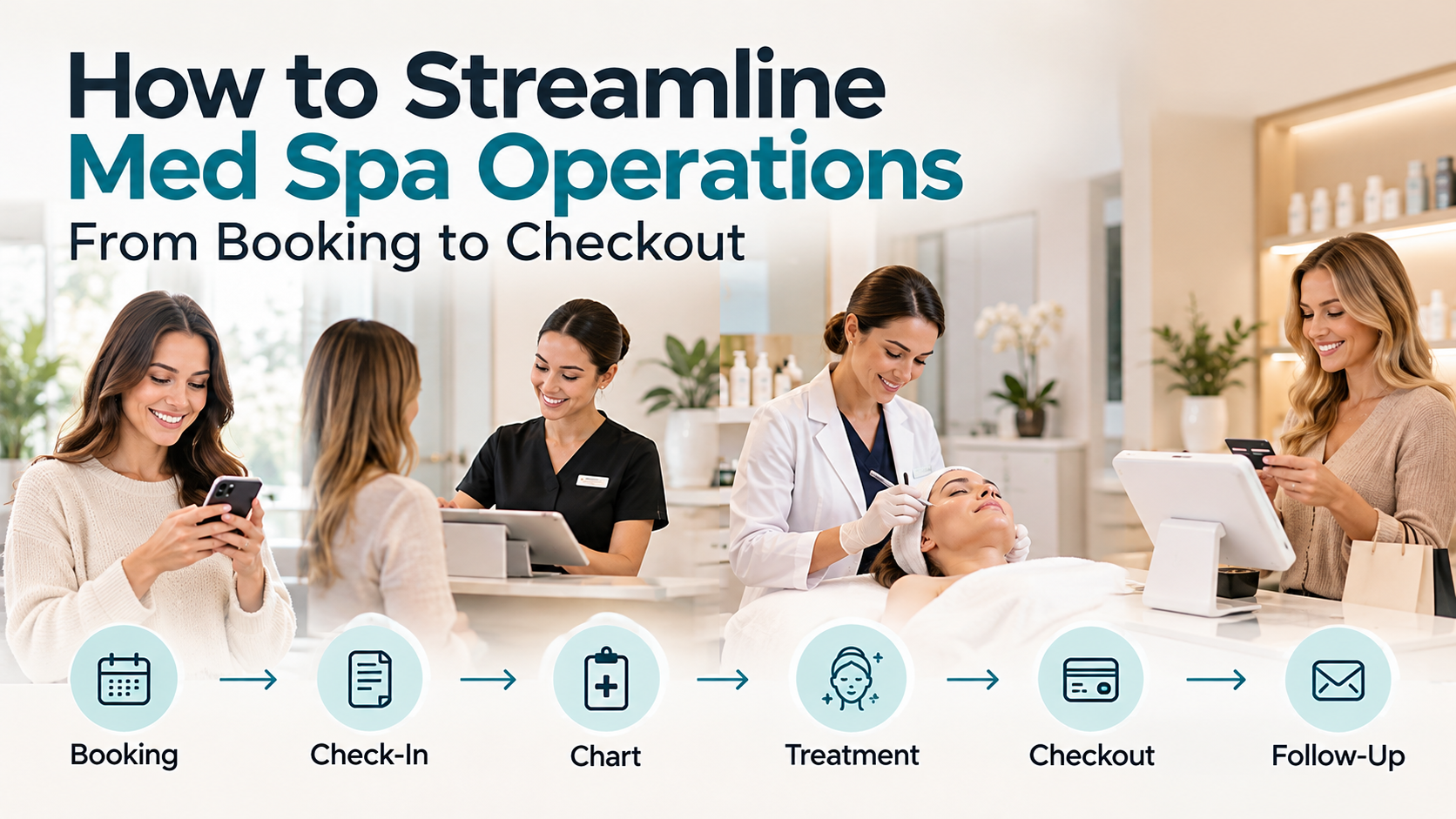
Booking → Check-In → Chart → Treatment → Checkout → Follow-Up
For growing practices, improving operations is often less about adding more tools and more about making existing workflows work together.
CTA: See How DigiMEDSPA Works →