

Understanding Terminologies
- e-Prescribing
An active service within the DigiMEDSPA Portal that enables authorized prescribers to electronically send prescriptions to pharmacies.
- Prescriber
A licensed medical professional (such as a medical director, nurse practitioner, or physician assistant) who is authorized to generate, sign, and prescribe drugs through the DigiMEDSPA Portal.
- Support User
A designated staff member (such as a nurse or medical assistant) who assists prescribers in managing e-Prescribing. A support user can create and prepare a prescription, but cannot send it to a patient or prescribe it without the prescriber's review and electronic signature.
Set Up Your e-Prescribing Subscription, Prescribers, and Support Users
-
The user can set up their e-Prescribing subscription by accessing “e-Prescribing" from two entry points.
-
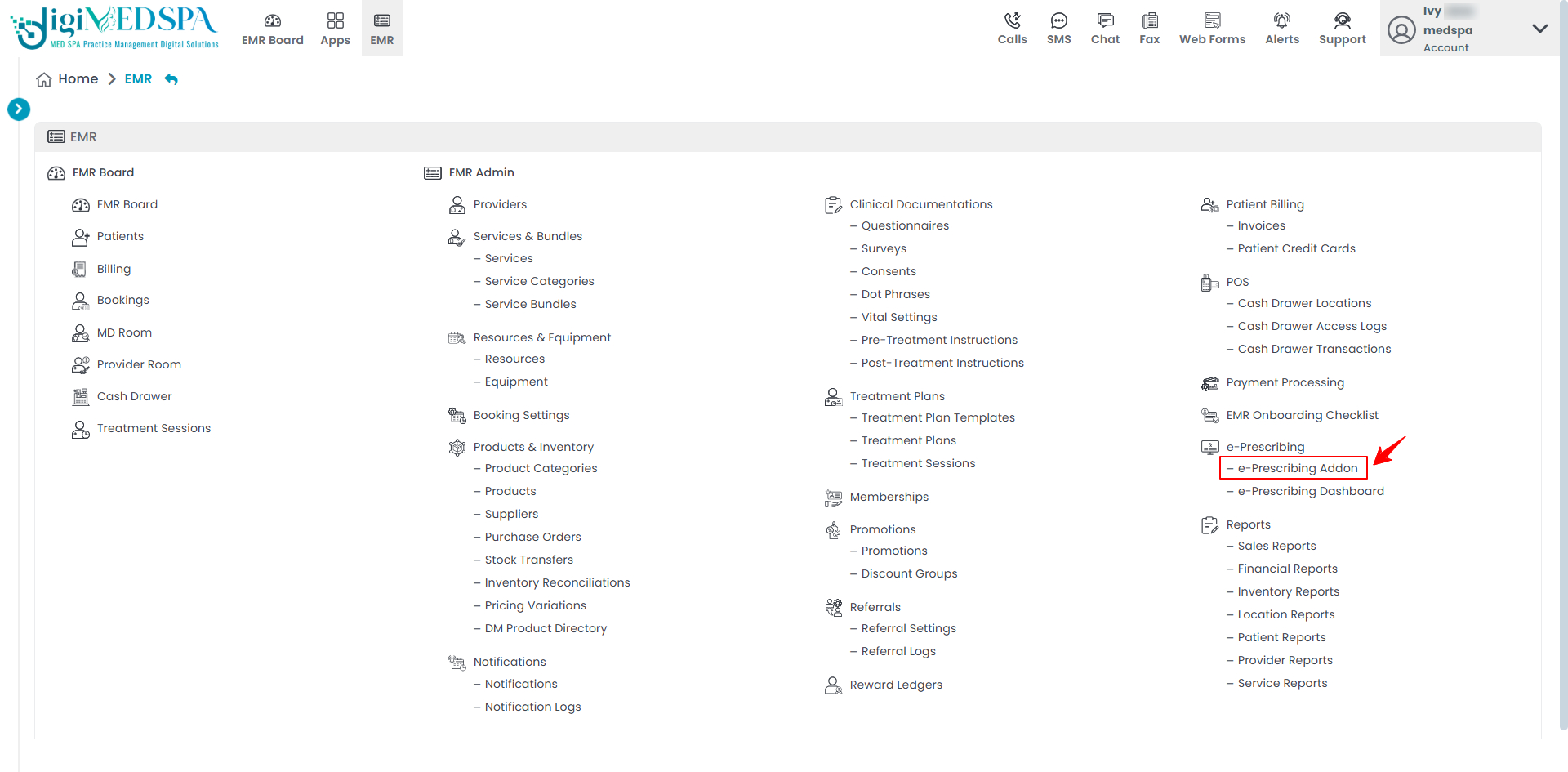
From the EMR Panel, click on “e-Prescribing Addon” under “e-Prescribing.”
-
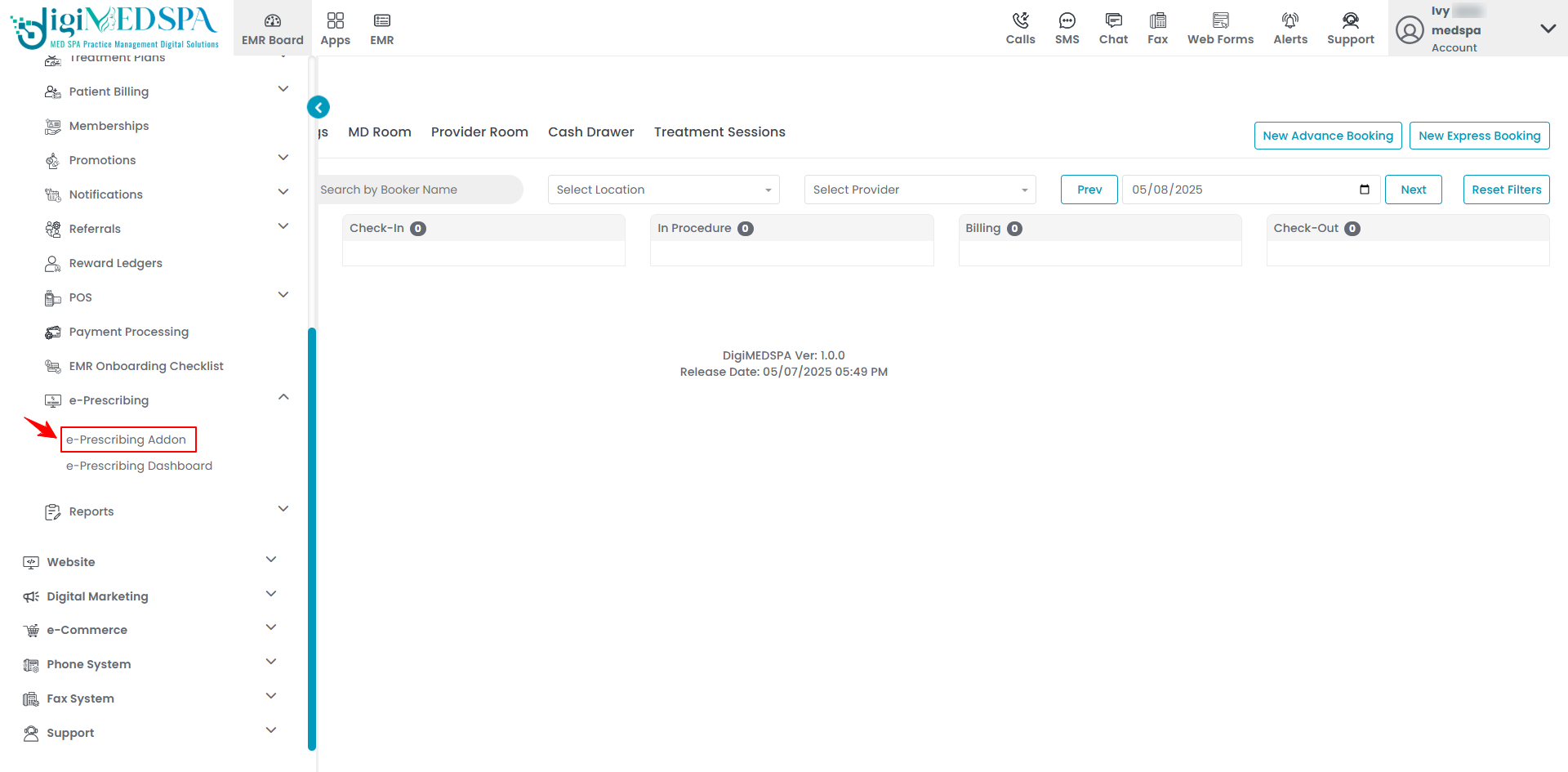
From the Left Navigation, open the “EMR Admin” dropdown menu, select “e-Prescribing,’’ and then choose “e-Prescribing Addon” from the subsequent dropdown menu.
-
Step 1: e-Prescribing Subscription
-
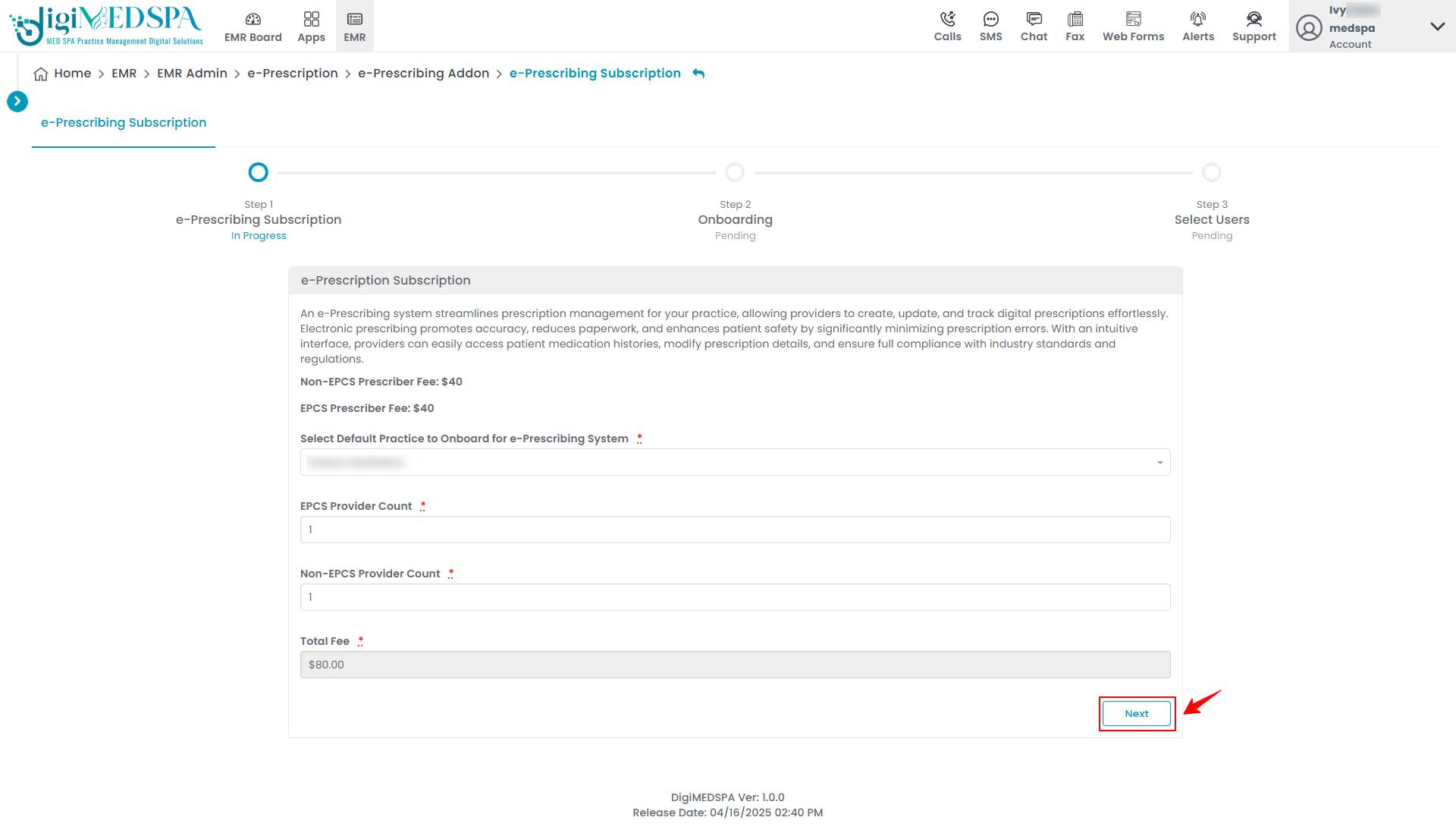
In Step 1, the e-Prescribing Subscription form will open, displaying a definition of the e-Prescribing system along with the subscription fees for both Non-EPCS and EPCS Prescribers.
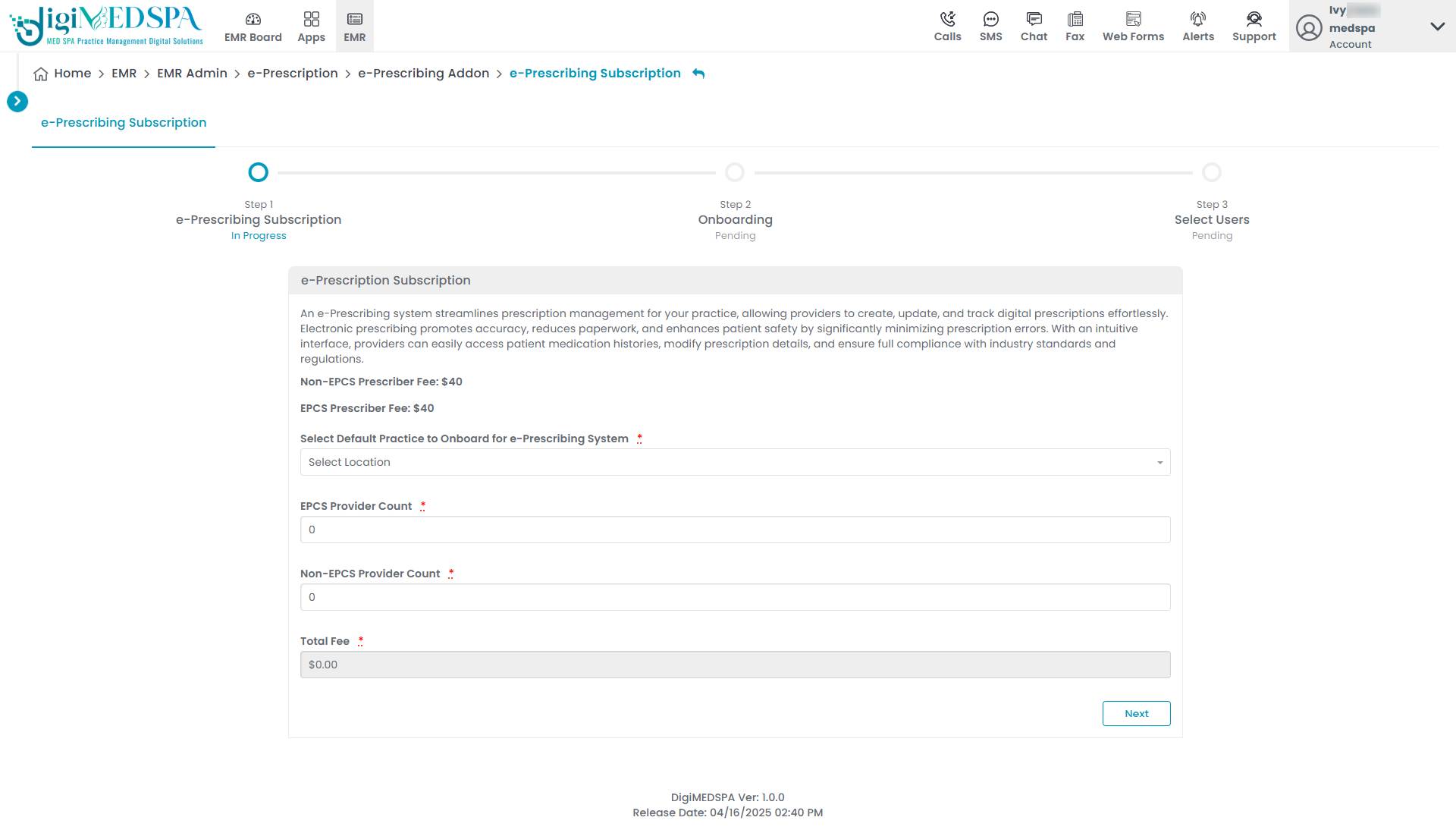 NoteAn “EPCS (Electronic Prescribing for Controlled Substances) Prescriber” is a licensed provider authorized to electronically prescribe controlled substances, such as opioids, stimulants, and certain sedatives to patients. A “Non-EPCS Prescriber” is a licensed provider authorized to electronically prescribe non-controlled medications only. This role does not include the ability to prescribe controlled substances electronically.
 -
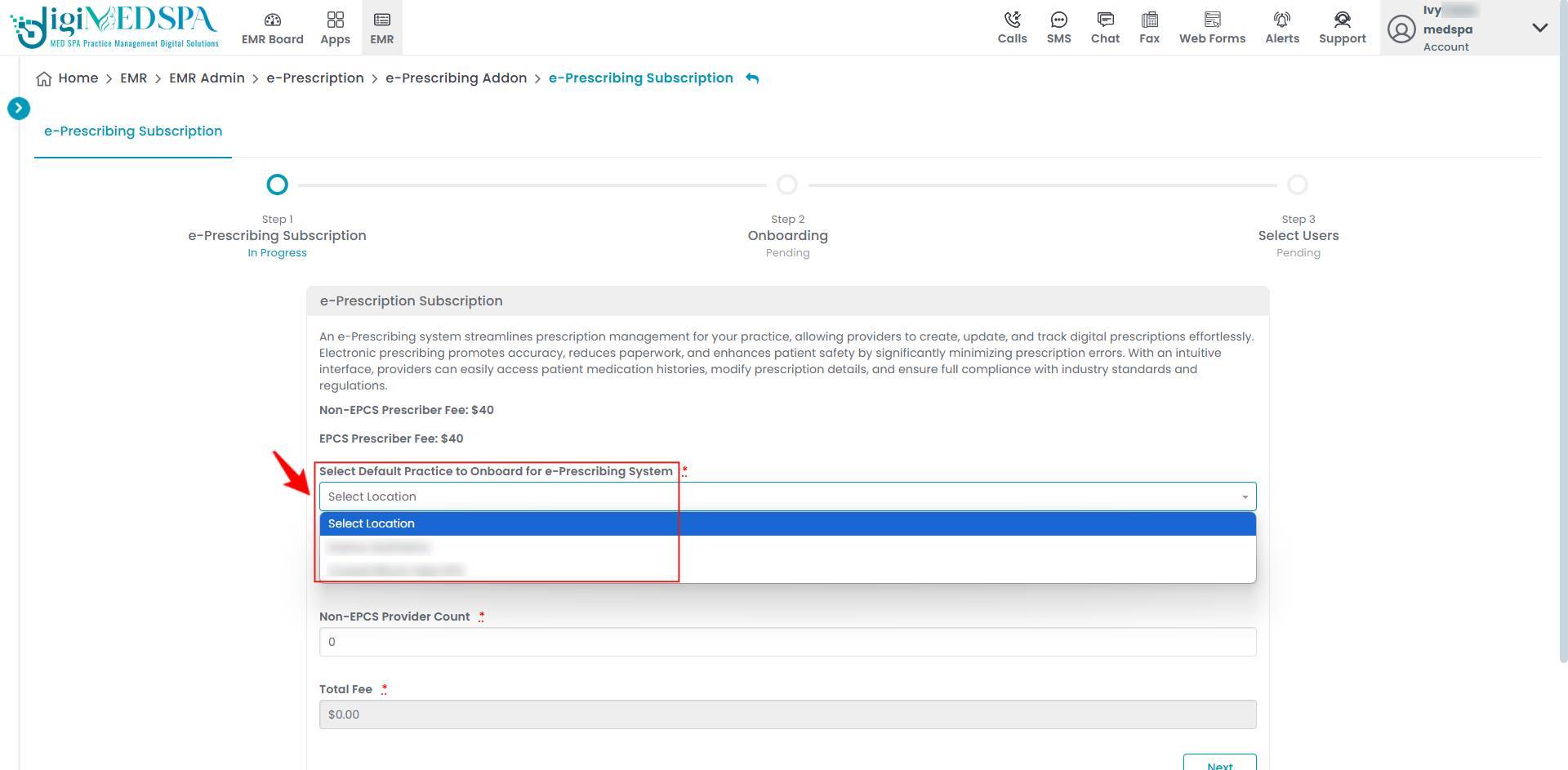
Select Default Practice to Onboard for e-Prescribing System from the dropdown menu.
-
Enter the number of EPCS and Non-EPCS providers. The total fee will be automatically calculated based on the entered counts. Once completed, click “Next” to proceed.
Step 2: Onboarding
-
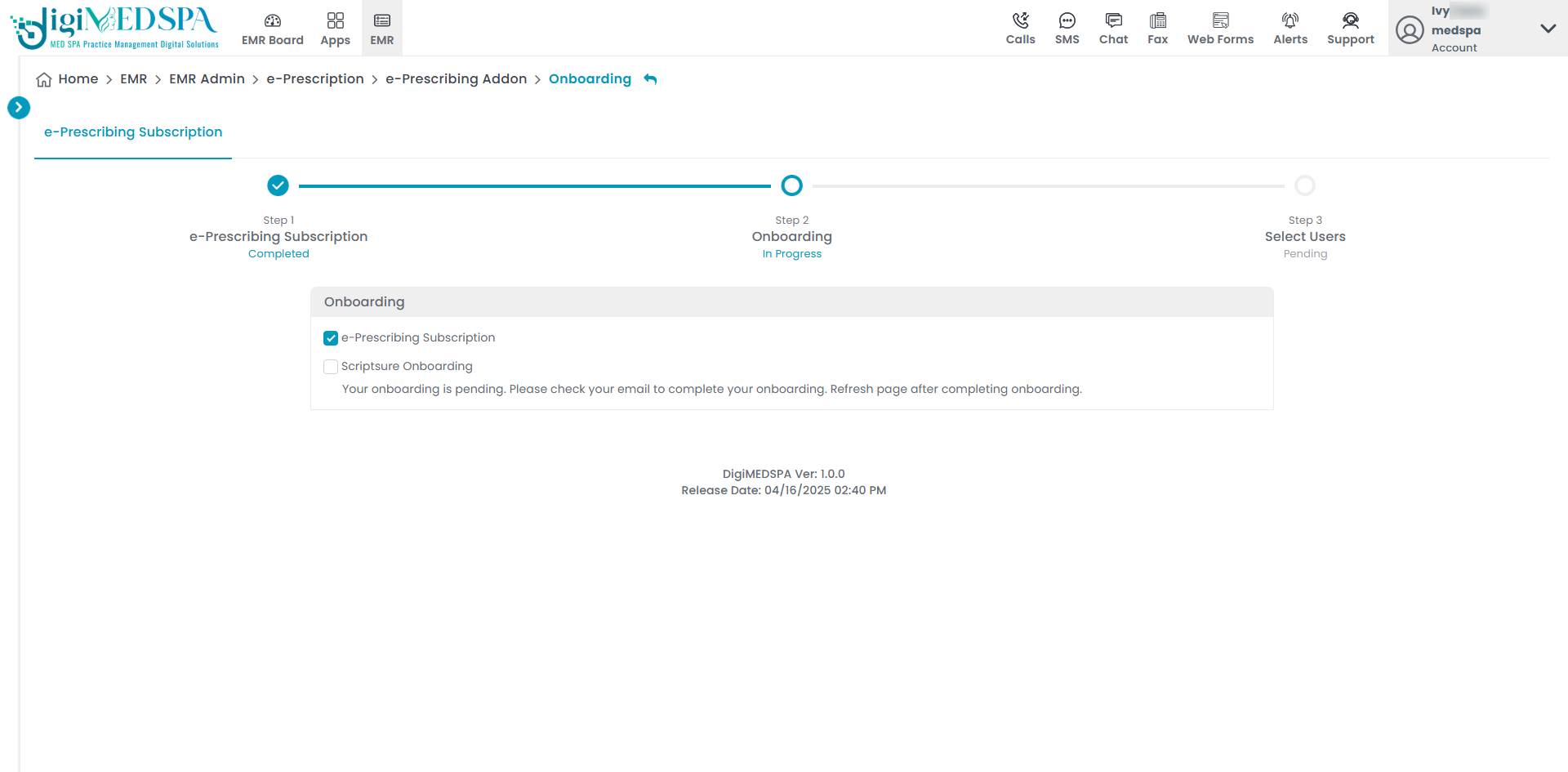
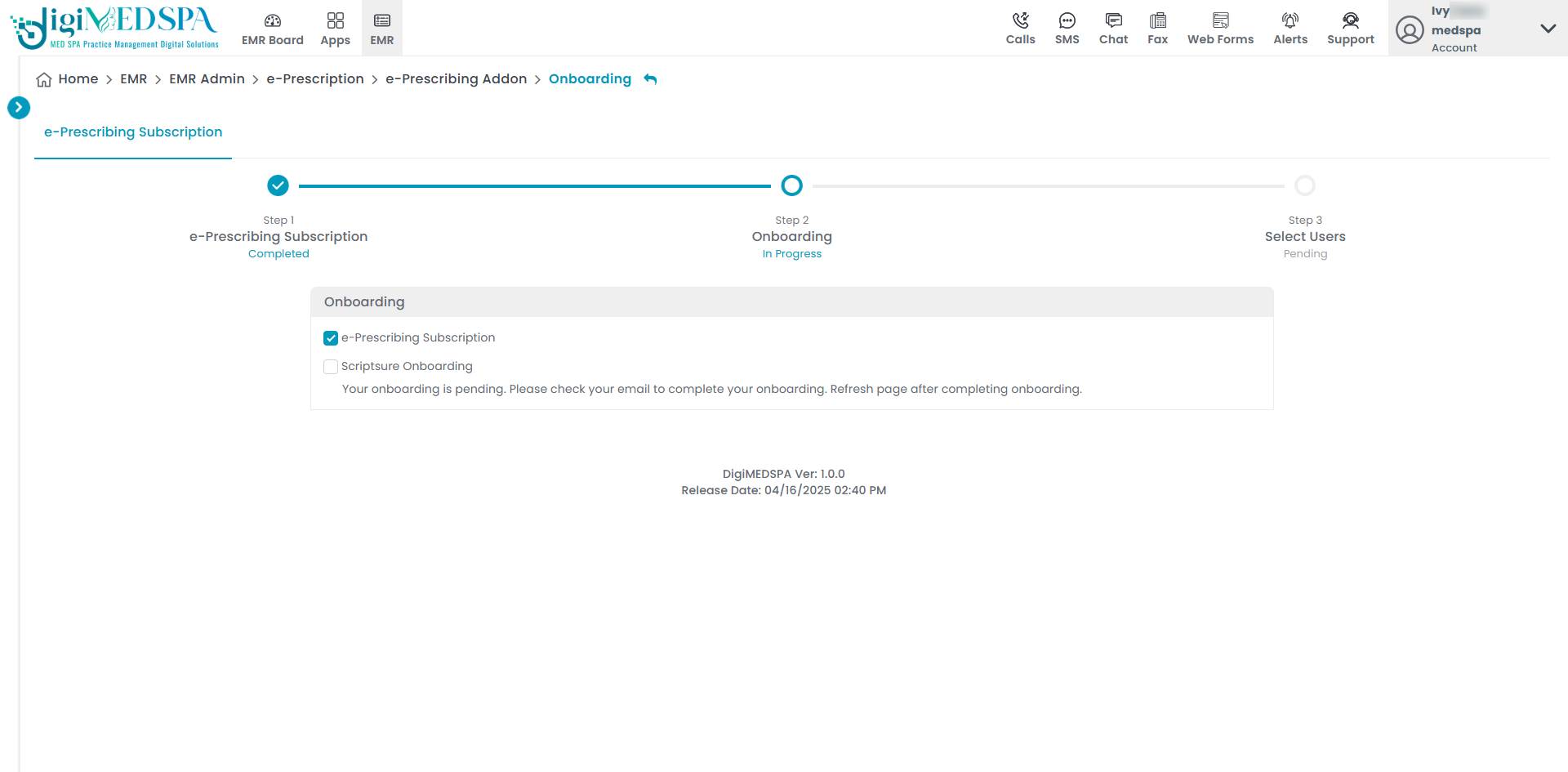
Step 2, Onboarding will show a check mark once the e-Prescribing subscription is complete. The ScriptSure onboarding will appear as pending. To continue, check your email to complete the ScriptSure Onboarding process.
-
You will receive an email with instructions to set up your ScriptSure account. Click the “Set Up Account” button in the email to continue with the onboarding process.
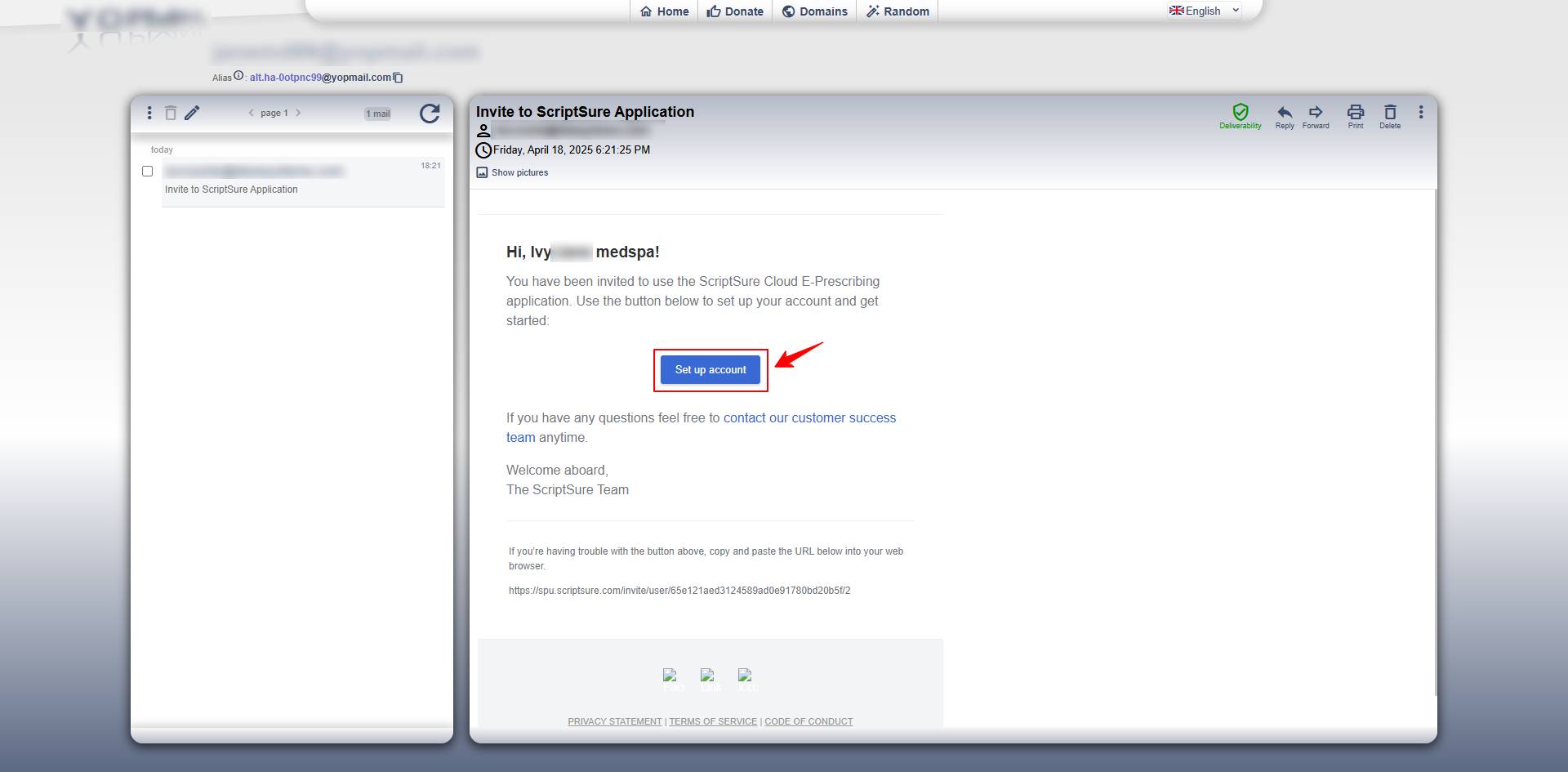 NoteYou will receive the email at the email address provided in your profile information within the portal.
 -
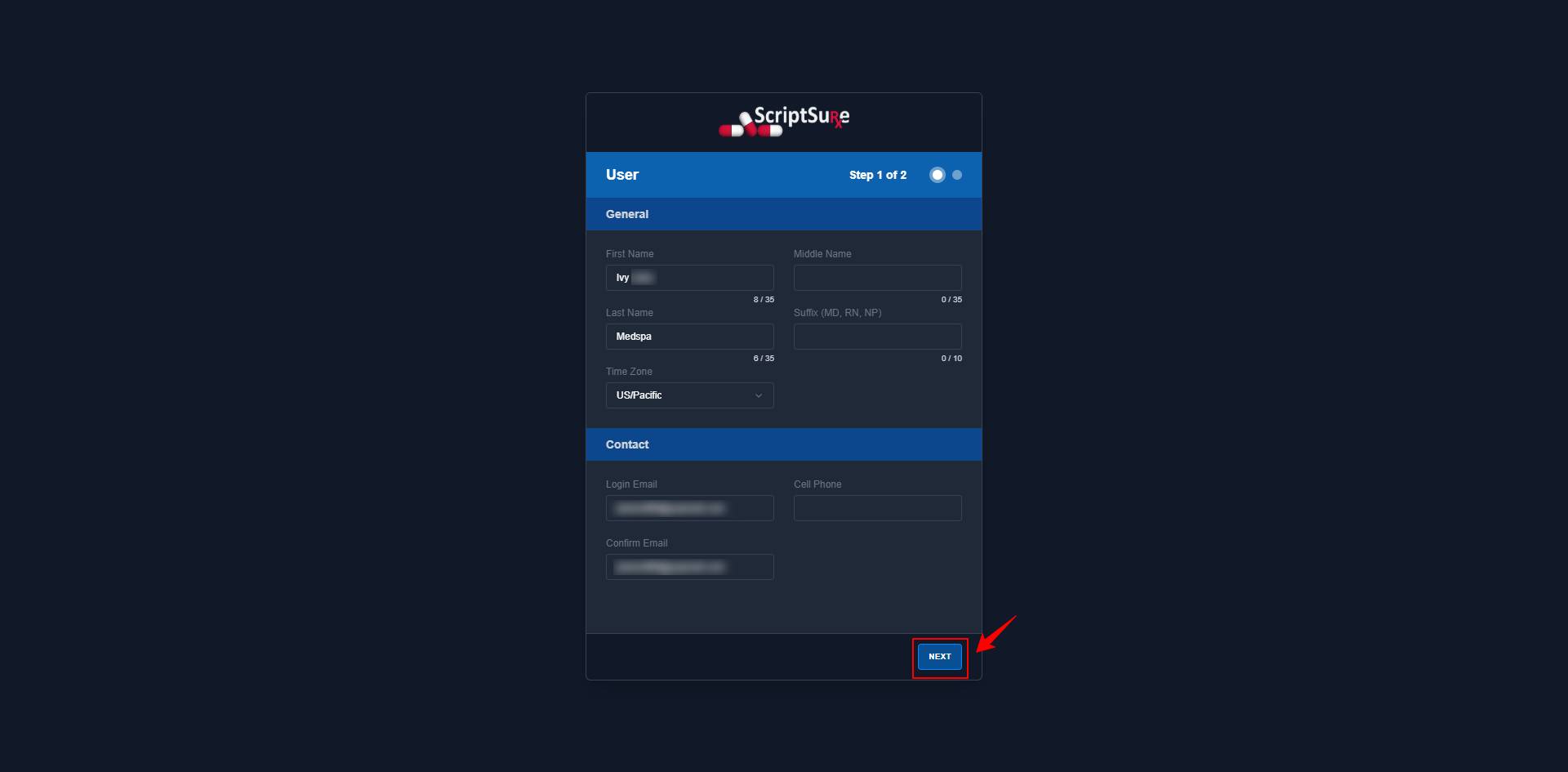
The ScriptSure account setup form will open. Enter your First, Middle, and Last Name, Suffix (if applicable), Time Zone, Email, Confirm Email, and Cell Phone number. Once all fields are completed, click “Next” to proceed to the next step.
-
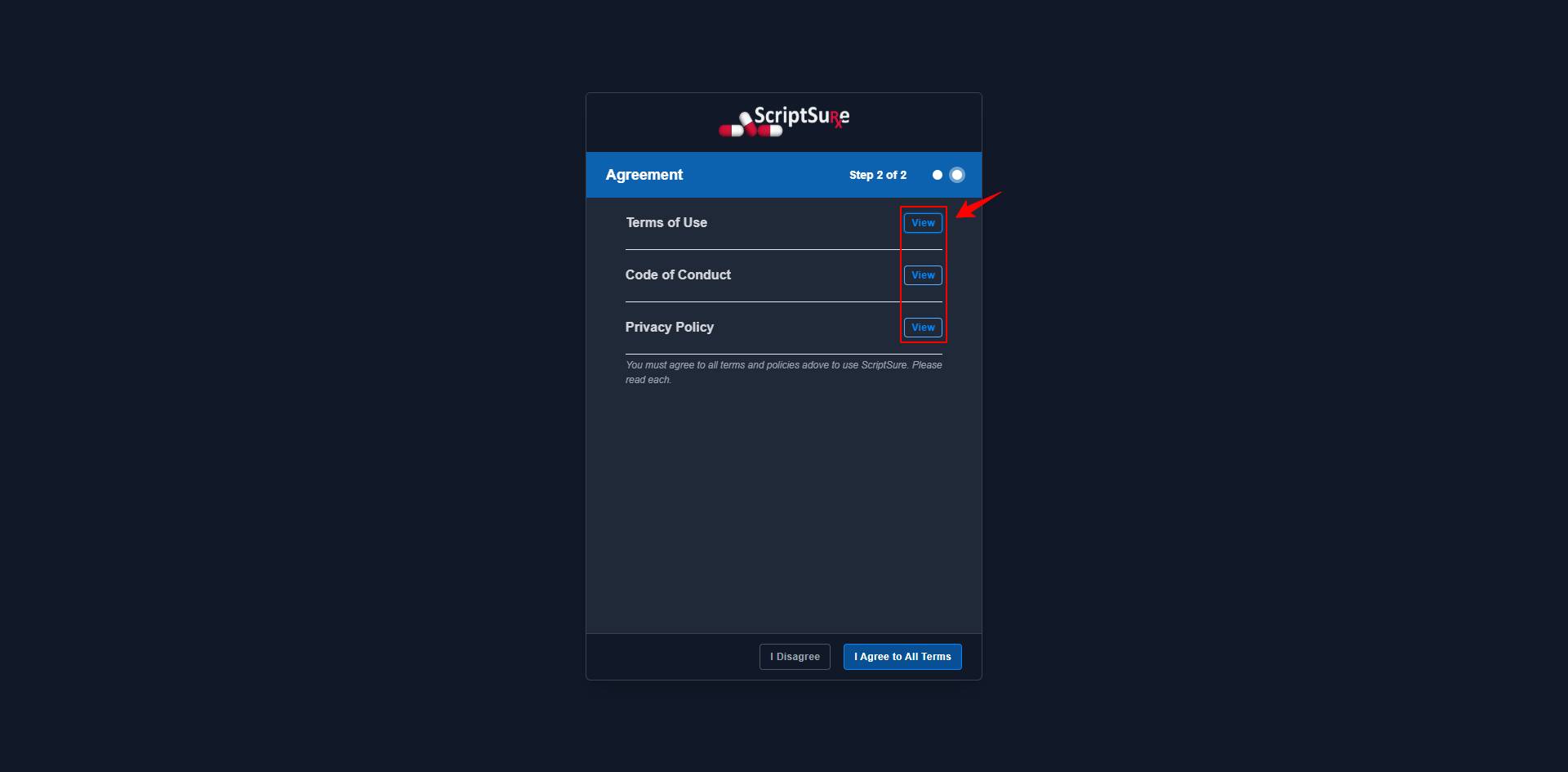
The Agreement screen will be displayed. Click “View” next to the Terms of Use, Code of Conduct, and Privacy Policy to review each document in detail.
-
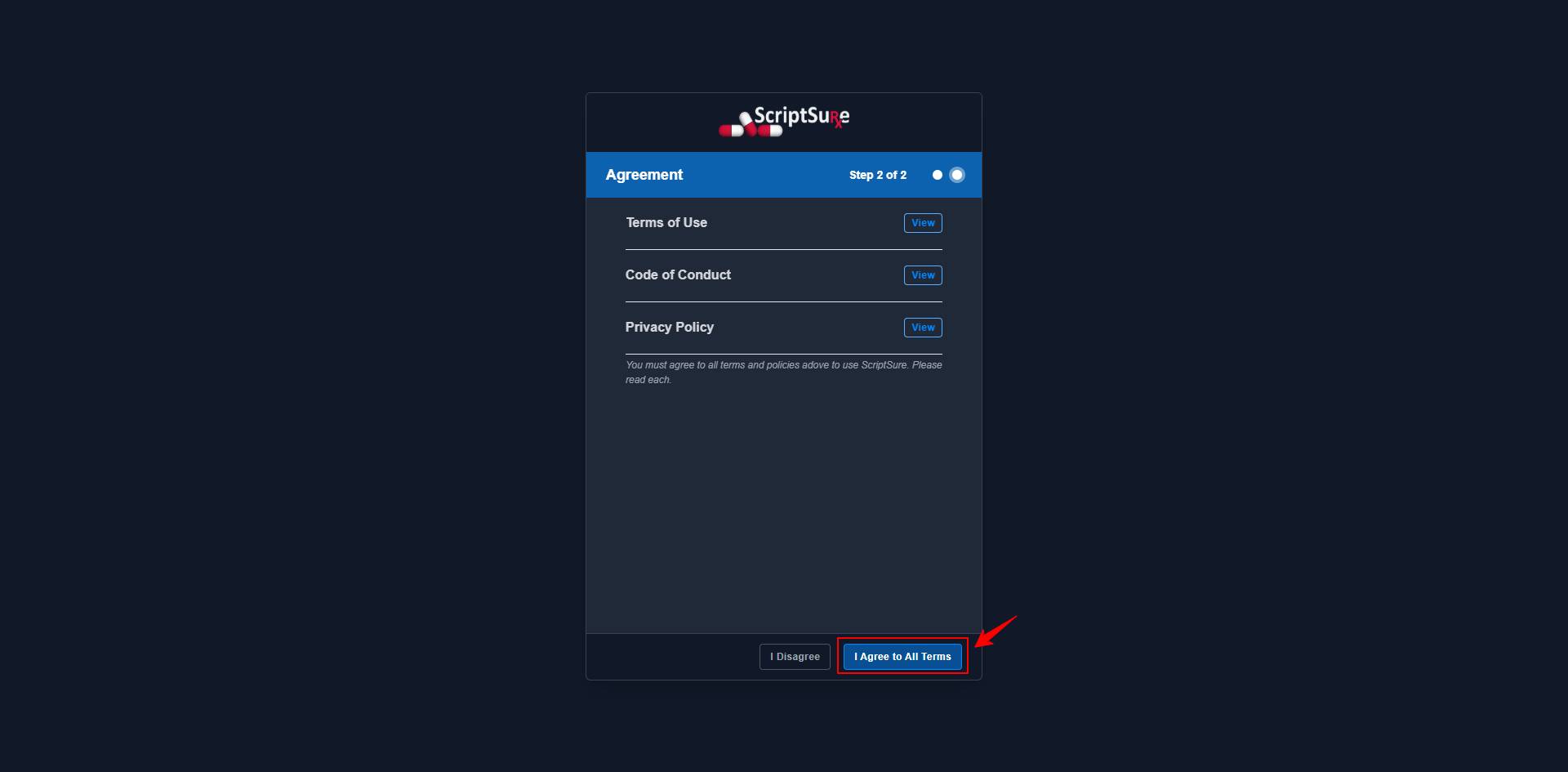
After reviewing all agreement details, click “I Agree to All Terms” to continue.
-
After completing it, return to the portal and refresh the page to move on to Step 3.
Step 3: Select Users
-
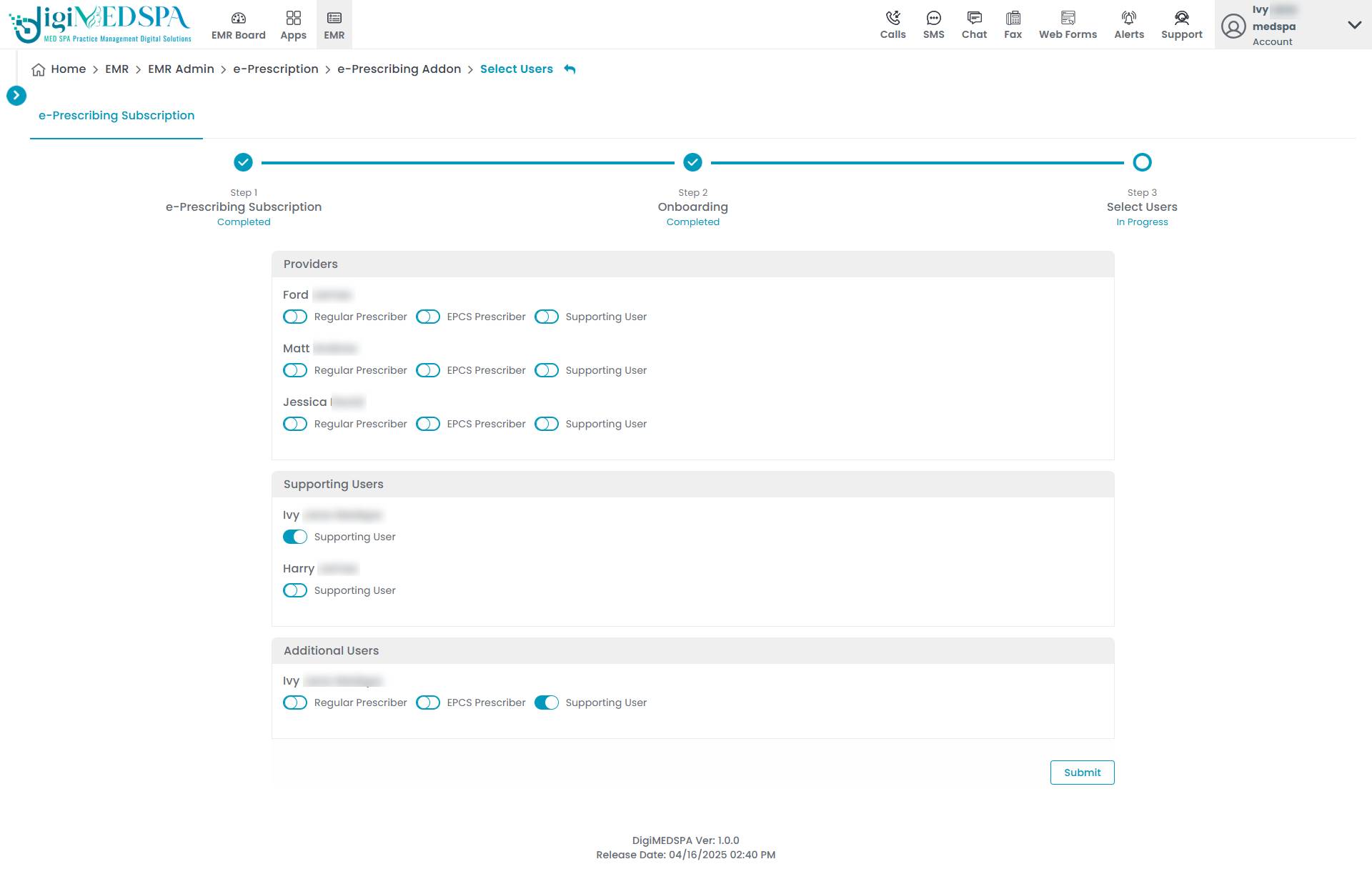
Once the ScriptSure account setup is complete, the system will proceed to Step 3, where users can be selected for the e-Prescribing system.
-
All prescribers and support users included in the portal will be listed here, and you can enable each one as an EPCS Prescriber, Regular Prescriber, or Supporting User. For support users, you can enable the Supporting User option. If there are any additional users, you can choose whether they should be assigned as an EPCS Prescriber, Regular Prescriber, or Supporting User by enabling the respective option. Once all selections are made, click “Submit” to complete the setup of your e-Prescribing subscription, prescribers, and support users.
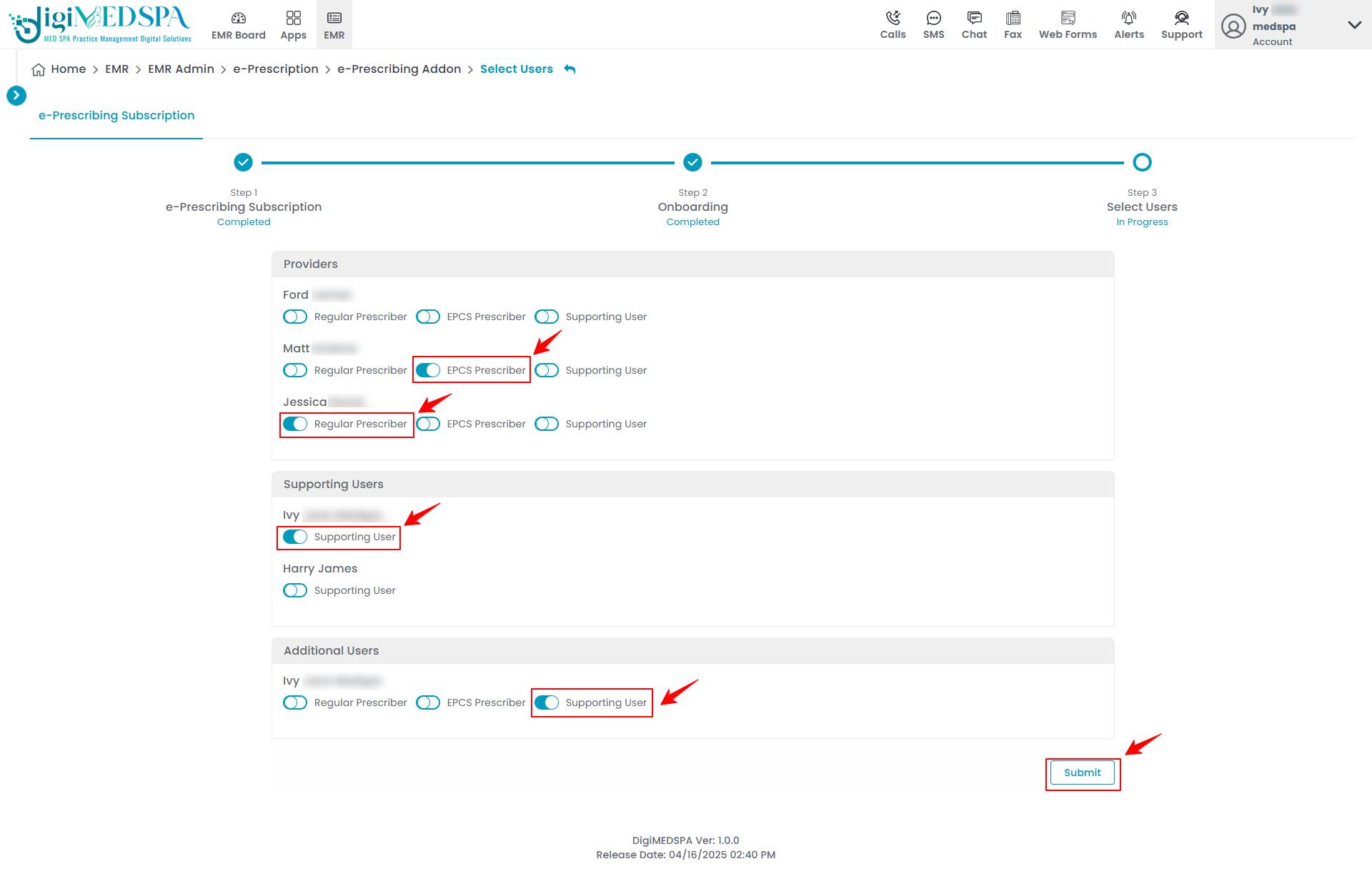 NoteYou can select the same number of EPCS Prescribers and Non-EPCS Prescribers as the count specified in Step 1. Additional Users are any extra users not already categorized as prescribers or support users. You can assign them specific roles such as EPCS prescriber, regular prescriber, or support user based on their responsibilities and access needs within the e-Prescribing system. The ScriptSure onboarding is technically complete, but it will remain pending until the prescriber logs into their account and clicks the confirmation link to fully finalize the process.You have successfully set up your e-Prescribing subscription, prescribers, and support users!
You’re all set
That’s every step of “Set Up Your e-Prescribing Subscription, Prescribers, and Support Users”. Up next: How to Set Up Your Second Med SPA Location for e-Prescribing?.