Check Sent Email Campaigns
This user guide provides a quick reference for reviewing past email marketing campaigns.
Understanding Terminologies
Sent Email Campaigns
Sent email campaigns are previously distributed emails promoting services, special offers, or wellness tips to patients. Reviewing these campaigns enables Med SPAs to analyze engagement metrics, such as open and click-through rates, helping to enhance future outreach and improve patient retention.
Check Sent Email Campaigns
- The user can check the sent email campaigns by accessing “eMail Marketing” in the Digital Marketing Panel from two entry points.
- Click “Apps” in the Top Menu Navigation to access the applications.


- Navigate to the Digital Marketing Panel and click on “eMail Marketing.”
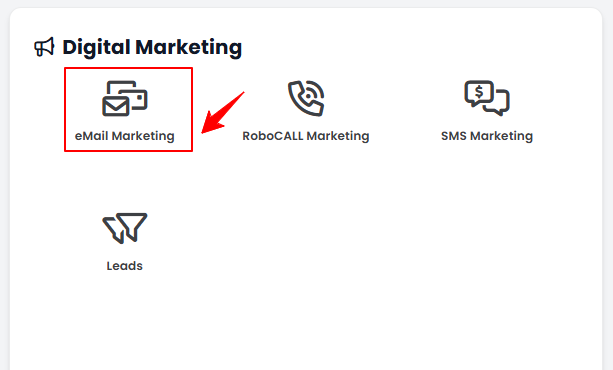
- Navigate to the Digital Marketing Panel and click on “eMail Marketing.”
- From the Left Navigation, click on the “Digital Marketing” dropdown menu, and select “eMail Marketing.’’ Alternatively, you can type “eMail Marketing” into the search bar in the Left Navigation.
- Click “Apps” in the Top Menu Navigation to access the applications.
- On the Campaigns List Screen, click on ‘’Sent’’ tab.

- The Sent Email Campaigns Screen will display a list of all sent campaigns with their Status, Email, Receiver Type, Receiver Name, Tickets, Campaign/Campaign Schedule, Sent Date, Last Event Date, Opens, Clicks, Rep Count, and Events.
Note: “Status” indicates the current state of the email campaign (e.g., Sent, Failed, In Progress, Completed). “Email” refers to the email address of the person to whom the campaign was sent. “Receiver Type” identifies the category of recipients (e.g., Patient, Lead, All Subscribers, Internal Staff). “Receiver Name” is the name of the individual or group who received the email. “Tickets” refers to associated appointments, services, or transactions linked to the campaign, if applicable. “Campaign / Campaign Schedule” is the name of the email campaign and the schedule it followed (e.g., one-time, recurring, or part of an automated workflow). “Sent Date” is the exact date and time when the email campaign was sent out. “Last Event Date” is the most recent tracked interaction with the campaign (such as an open, click, bounce, or unsubscribe). “Opens” is the number of times the email was opened by recipients. “Clicks” is the number of times links within the email were clicked. “Rep Count” is the number of representatives or internal staff involved in sending or managing the campaign. “Events” are all tracked interactions with the campaign, including opens, clicks, bounces, and unsubscribes.