

Understanding Terminologies
- Business
A Med SPA business blends medical treatments with spa services, offering non-invasive aesthetic procedures like skin rejuvenation and anti-aging treatments. It operates under the supervision of a licensed medical professional. Med SPAs focus on enhancing appearance, skin health, and overall wellness.
Part 1 of 3
Add Your Business
-
Search any location in the search bar and click the “Search” button.
Find Med SPA Services and Clinics Near You!
-
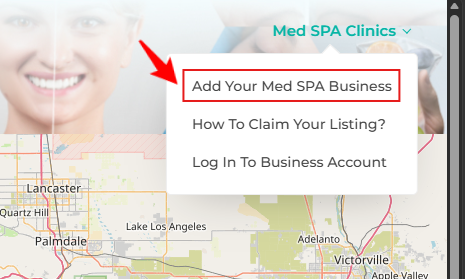
On the Directory Listing Screen, hover over the “Med SPA Clinics” in the top right corner of the screen, and from the dropdown menu select ‘’Add Your Med SPA Business.’’
Part 2 of 3
Step 1: Business Information
-
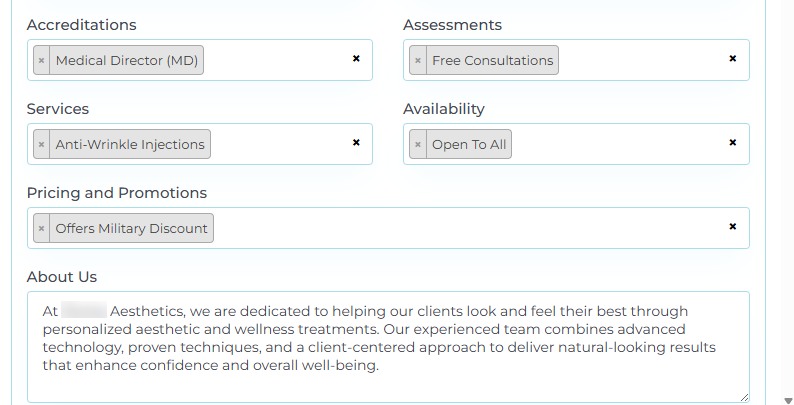
In Step 1, provide all required business details, including Business Name, Email Address, Logo (upload as an attachment), Years in Business, Business Phone, Web Address, and full Business Address, including City, County, State, Zip Code, and Country.
-
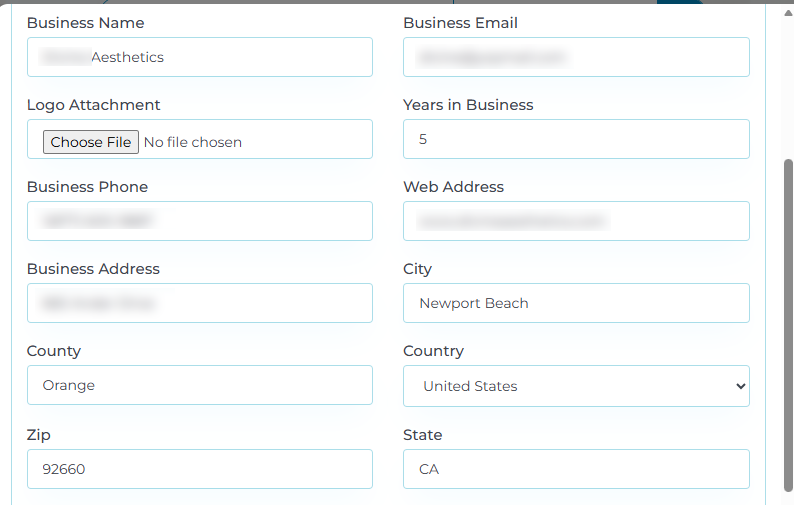
Select the relevant options from the Accreditations, Assessments, Services, Availability, and Pricing & Promotions dropdown menus. Once finished, enter your business's “About Us” description.
-
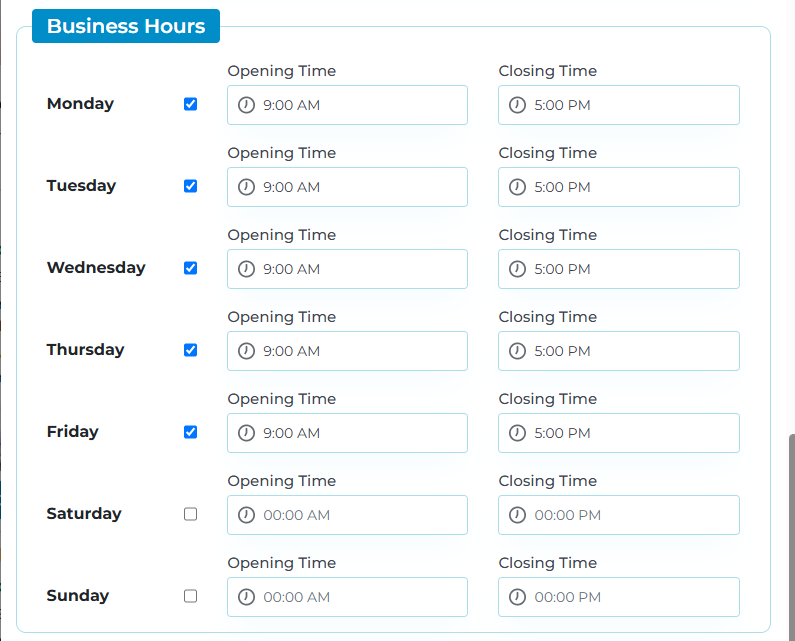
Set your Business Hours by selecting the operating days along with the corresponding Opening and Closing Times.
-
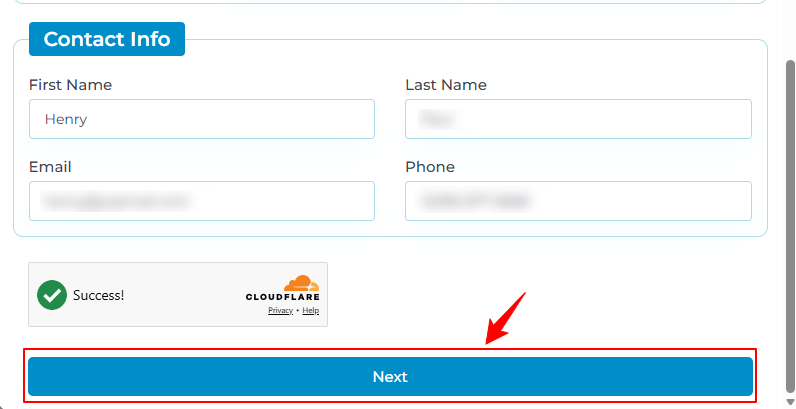
Provide the Contact Information, including First Name, Last Name, Email, and Phone. Complete the CAPTCHA verification, then click “Next” to continue.
Part 3 of 3
Step 2: Verification
-
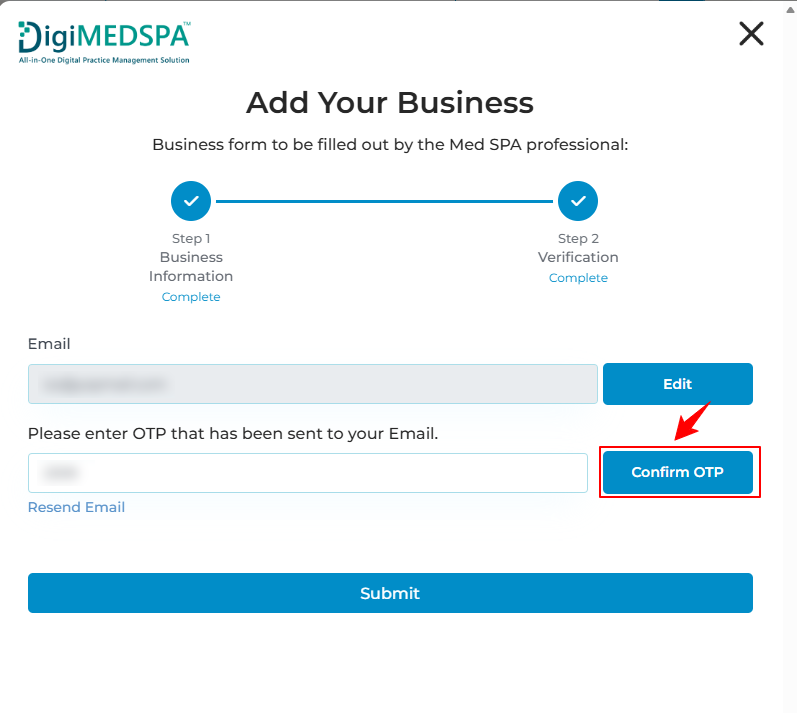
In Step 2, the email address you entered in Step 1 will be autofilled. If you need to make changes, click “Edit” to update it. Then, enter the OTP sent to the email address and click “Confirm OTP” to proceed.
-
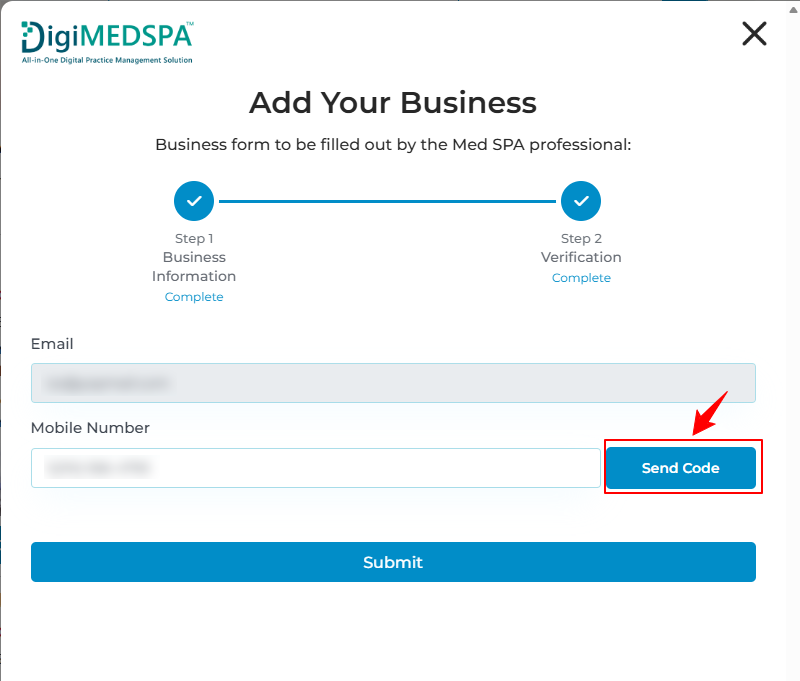
Enter your Mobile Number and click “Send Code” to receive the verification code.
-
Enter the code sent to your mobile, click “Confirm OTP,” and then click “Submit” to complete your request to add your business. Once submitted, your request will be sent for review and processing.NoteYour business request will be successfully submitted. Once approved, your login credentials will be sent to you via email.
-
You will receive an email shortly with your temporary login credentials to access your account.
-
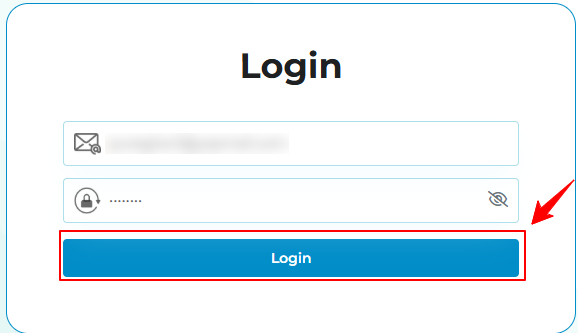
To log in, enter your email and password, then click “Login” to continue.
-
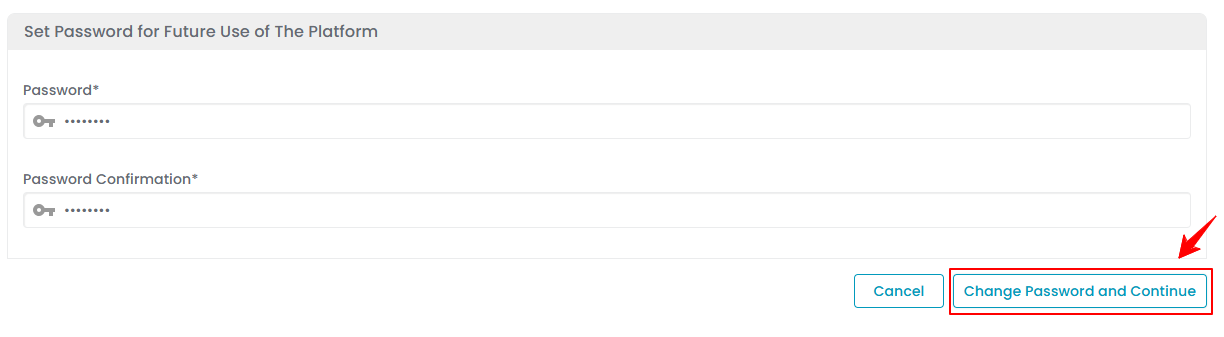
After logging in, you will be prompted to create a new password for future access. Enter and confirm your new password, then click “Change Password and Continue” to proceed.
-
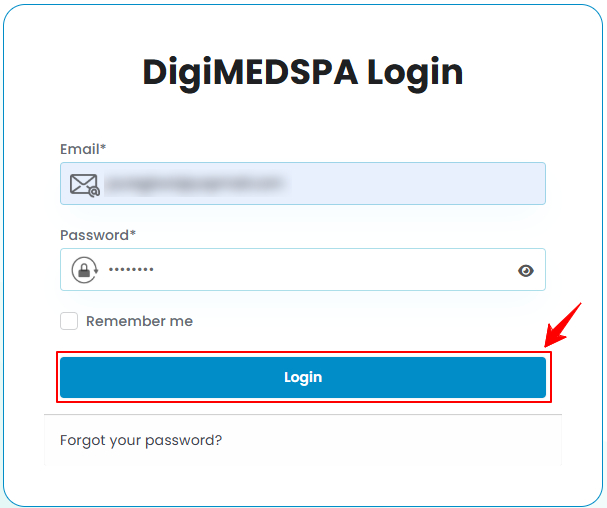
Enter your new password, then click “Login” to access your account.
-
Once logged in, your Directory Listing Dashboard will be displayed, where you can manage your listing and track incoming leads.
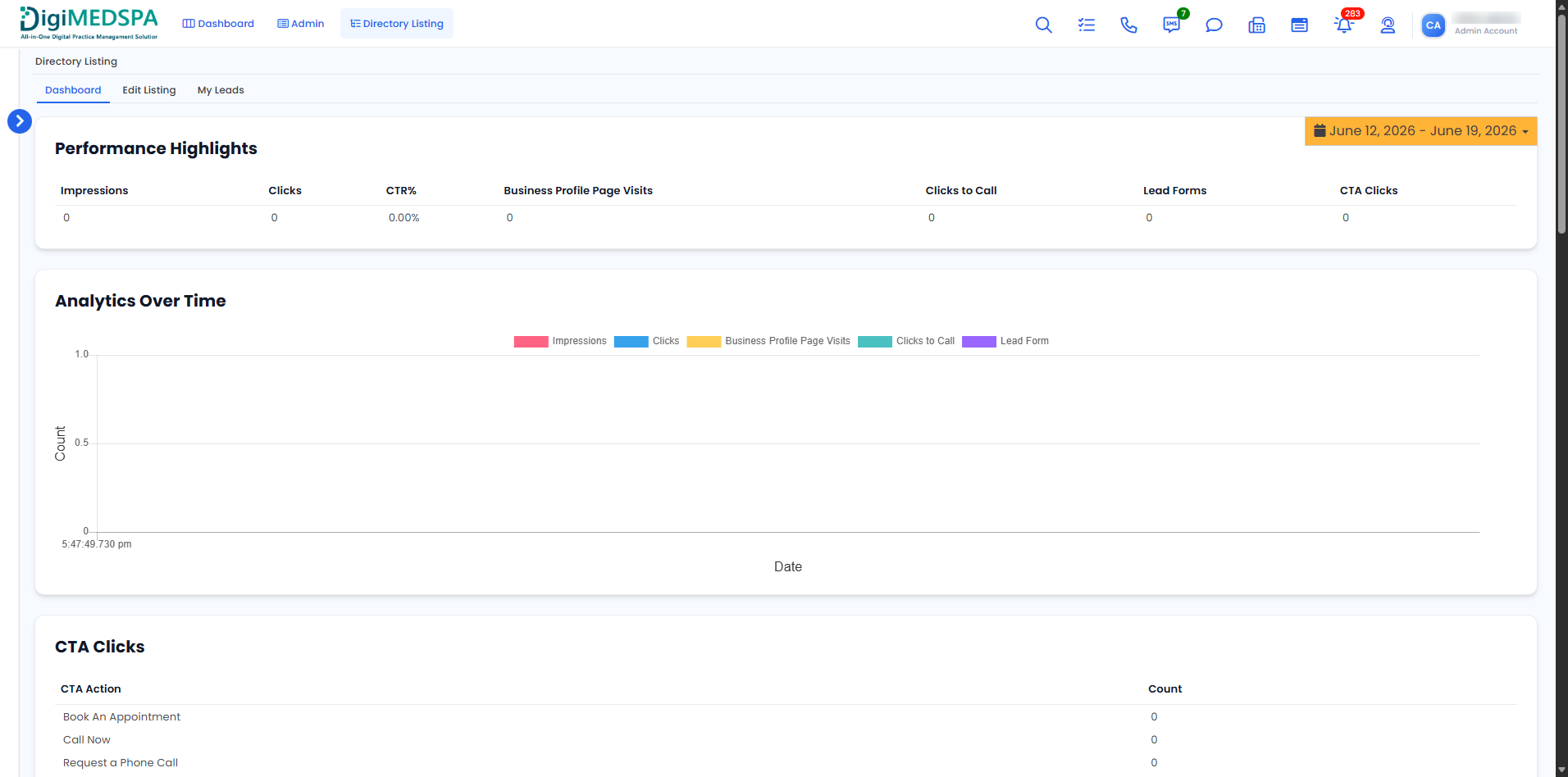 Your Med SPA business has been successfully added to the DigiMEDSPA Directory Listing Platform!
You’re all set
That’s every step of “How to Add Your Med SPA Business?”.